# vtkImageData to png
**URL:** https://discourse.vtk.org/t/vtkimagedata-to-png/8418
**Category:** Support
**Created:** [May 3, 2022, 2:18pm UTC](https://discourse.vtk.org/t/vtkimagedata-to-png/8418 "2022-05-03T14:18:56Z")
**Posts on this page:** 4
**Page:** 1
### Author:  [@s195t](https://discourse.vtk.org/u/s195t)
#### Post date: [May 3, 2022, 2:18pm UTC](https://discourse.vtk.org/t/vtkimagedata-to-png/8418/1 "2022-05-03T14:18:56Z")
Dear everyone,
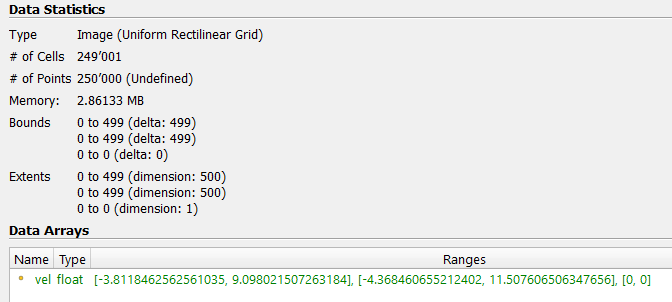
I would like to export a vtkImageData of 500x500 cells to a png picture of exactly 500x500 pixel resolution. In this way, every pixel should be approximately corresponding to a cell.
This means fitting my vtkImageData (grey box) to the render view (black box) and exporting a screenshot if we would be in paraview
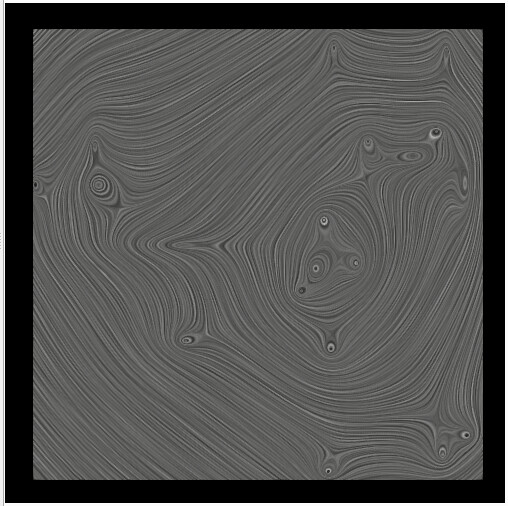
Is there a way for vtk to export directly the 500x500 vtkImageData to a 500x500 px png image?
Here are further details on my object:
---
### Author:  [@Christos\_Tsolakis](https://discourse.vtk.org/u/Christos_Tsolakis)
#### Post date: [May 3, 2022, 3:38pm UTC](https://discourse.vtk.org/t/vtkimagedata-to-png/8418/2 "2022-05-03T15:38:59Z")
You can use [vtkJPEGWriter](https://vtk.org/doc/nightly/html/classvtkJPEGWriter.html) or [vtkPNGWriter](https://vtk.org/doc/nightly/html/classvtkPNGWriter.html) and pass your `vtkImageData` as input.
---
### Author:  [@s195t](https://discourse.vtk.org/u/s195t)
#### Post date: [May 4, 2022, 7:39am UTC](https://discourse.vtk.org/t/vtkimagedata-to-png/8418/3 "2022-05-04T07:39:56Z")
Does the vtkPNGWriter then write only the vtkImageData or does it export the render with the background as well?
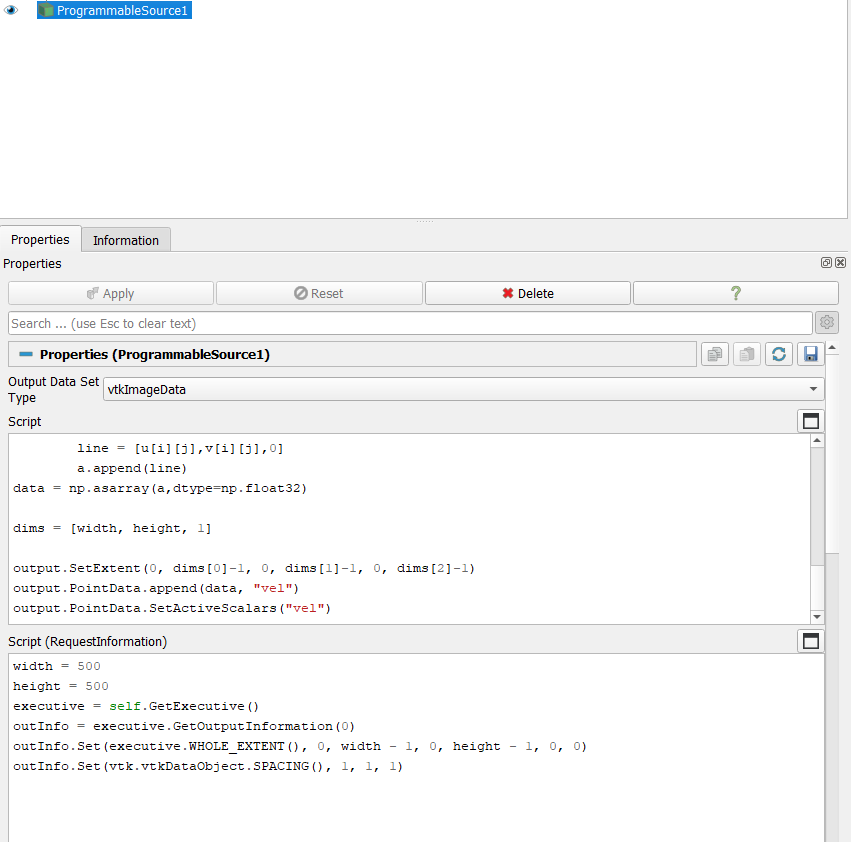
I tried it since it’s called when you use “Save Data” on paraview, but it always gives out an error like this one:
```auto
PNGWriter only supports unsigned char and unsigned short inputs
```
Saw a possible fix in one [gitlab issue](https://gitlab.kitware.com/paraview/paraview/-/issues/17151) but I didn’t understand how to implement the fix in my code as well
Here is my code for reference:
---
### Author:  [@dgobbi](https://discourse.vtk.org/u/dgobbi)
#### Post date: [May 4, 2022, 1:21pm UTC](https://discourse.vtk.org/t/vtkimagedata-to-png/8418/4 "2022-05-04T13:21:15Z")
The vtkPNGWriter will only write the image data, it won’t write the rendered background or any rendered annotations.
If the data type is “float” or any type other than “unsigned char” or “unsigned short”, then a good way to convert it before saving as PNG is [vtkImageMapToColors](https://vtk.org/doc/nightly/html/classvtkImageMapToColors.html).
Python example:
```python
table = vtkScalarsToColors()
table.SetRange(0.0, 1.0) # set the range of your data values
convert = vtkImageMapToColors()
convert.SetLookupTable(table)
convert.SetOutputFormatToRGB()
convert.SetInputData(image_data)
convert.Update()
writer = vtkPNGWriter()
writer.SetInputData(convert.GetOutput())
...
```