# vtkInteractionStyle was not found
**URL:** https://discourse.vtk.org/t/vtkinteractionstyle-was-not-found/2611
**Category:** Support
**Created:** [February 13, 2020, 4:43pm UTC](https://discourse.vtk.org/t/vtkinteractionstyle-was-not-found/2611 "2020-02-13T16:43:11Z")
**Posts on this page:** 2
**Page:** 1
### Author:  [@siaeleni](https://discourse.vtk.org/u/siaeleni)
#### Post date: [February 13, 2020, 4:43pm UTC](https://discourse.vtk.org/t/vtkinteractionstyle-was-not-found/2611/1 "2020-02-13T16:43:11Z")
I have configured vtk, qt and itk using VS 2017 on Windows. (VTK 8.2, Qt 5.14.1 )
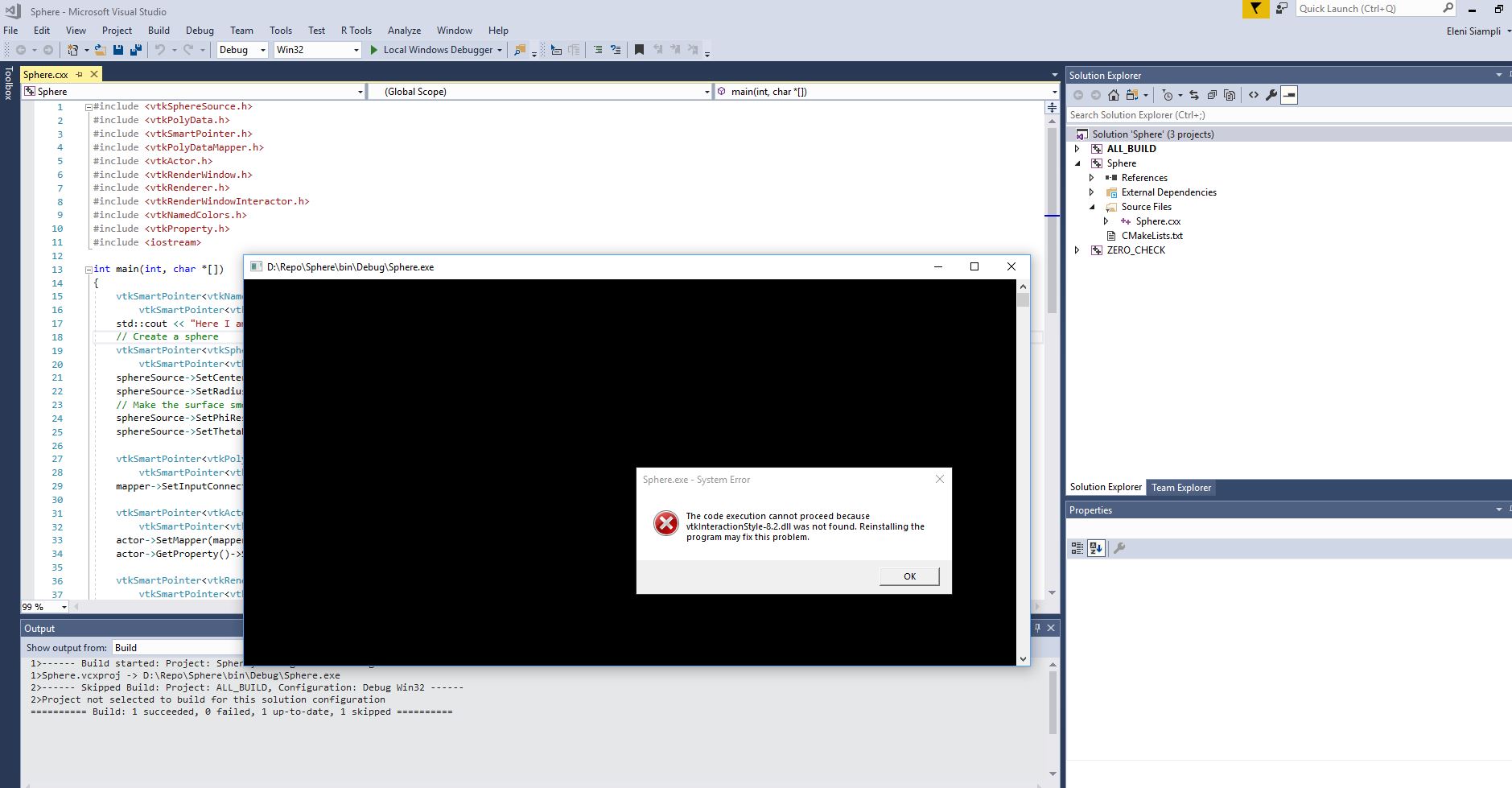
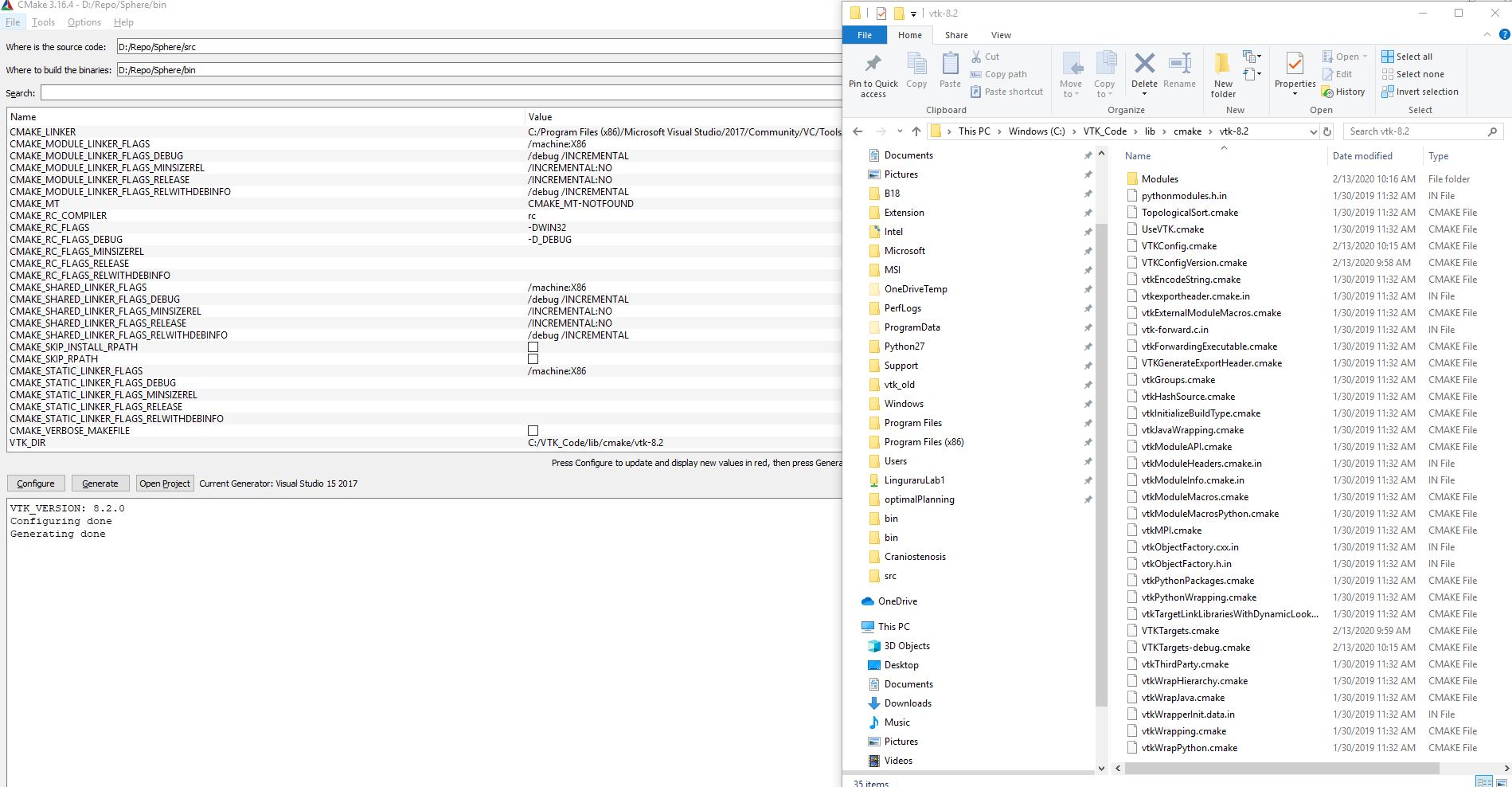
Now I want to try a very simple example with the Sphere [https://lorensen.github.io/VTKExamples/site/Cxx/GeometricObjects/Sphere/](https://lorensen.github.io/VTKExamples/site/Cxx/GeometricObjects/Sphere/) but I get the following error when I open the Sphere.exe file “The code execution cannot proceed because vtkInteractionStyle was not found”. The build was succeeded when I configured vtk.
Any help is appreciated.
---
### Author:  [@pieper](https://discourse.vtk.org/u/pieper)
#### Post date: [February 13, 2020, 8:36pm UTC](https://discourse.vtk.org/t/vtkinteractionstyle-was-not-found/2611/2 "2020-02-13T20:36:30Z")
Hi @siaeleni - you need to be sure the vtk dll files are in your path when you launch the executable. There’s some more information, for example, here:
[http://vtk.1045678.n5.nabble.com/quot-vtkCommonCore-6-0-dll-is-missing-from-your-computer-quot-td5725609.html](http://vtk.1045678.n5.nabble.com/quot-vtkCommonCore-6-0-dll-is-missing-from-your-computer-quot-td5725609.html)
Note that for some apps, like 3D Slicer, there are utilities or scripts that set up the paths and launch visual studio pre-configured. If you do a lot of development on this app you may want to make a little batch script that similarly launches visual studio with the Path variable set as needed.
[https://www.slicer.org/wiki/Documentation/Nightly/Developers/Tutorials/Debug\_Instructions#Using\_Visual\_Studio](https://www.slicer.org/wiki/Documentation/Nightly/Developers/Tutorials/Debug_Instructions#Using_Visual_Studio)