# VTKJS Shading comparison to python
**URL:** https://discourse.vtk.org/t/vtkjs-shading-comparison-to-python/14108
**Category:** vtk.js
**Tags:** python
**Created:** [June 24, 2024, 1:49pm UTC](https://discourse.vtk.org/t/vtkjs-shading-comparison-to-python/14108 "2024-06-24T13:49:10Z")
**Posts on this page:** 12
**Page:** 1
### Author:  [@emil-peter](https://discourse.vtk.org/u/emil-peter)
#### Post date: [June 24, 2024, 1:49pm UTC](https://discourse.vtk.org/t/vtkjs-shading-comparison-to-python/14108/1 "2024-06-24T13:49:10Z")
Hi,
I’ve been experimenting with visualizations in python and VTKjs but can’t reproduce some of the features I achieve in python in VTK js.
In python I’m able to get the following super-smooth shading, with the following settings:
```auto
# Set the interpolation to Gouraud shading
actor.GetProperty().SetInterpolationToGouraud()
# Set material properties
actor.GetProperty().SetDiffuse(0.9)
actor.GetProperty().SetSpecular(0.05)
actor.GetProperty().SetSpecularPower(5)
actor.GetProperty().SetAmbient(0.2)
actor.GetProperty().SetShading(1)
```
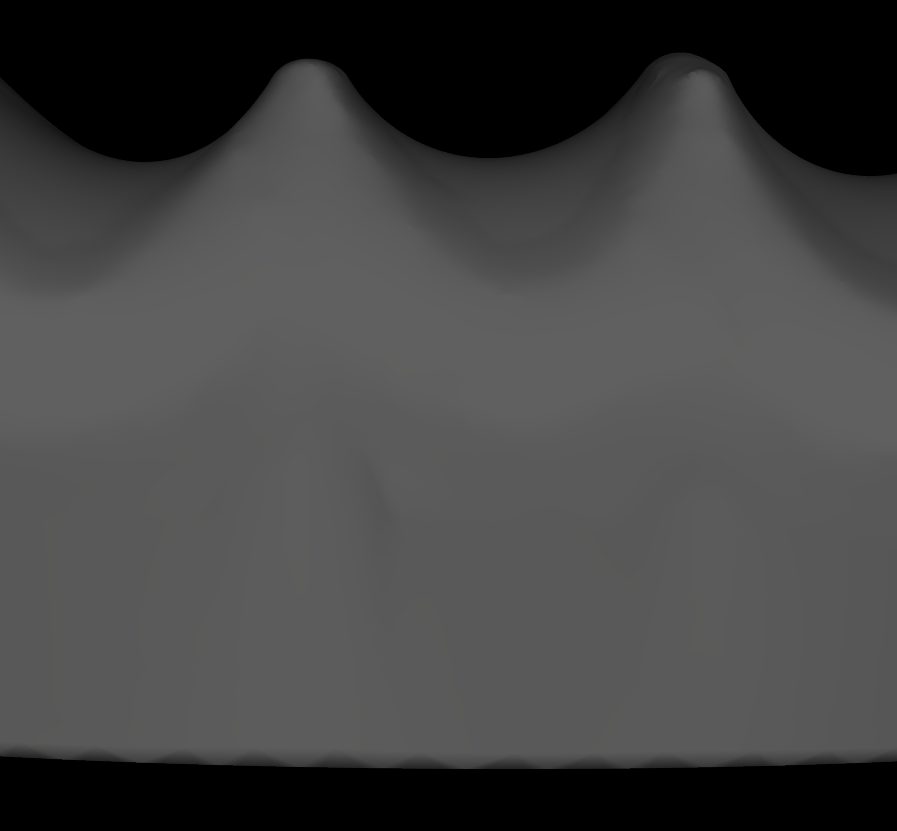
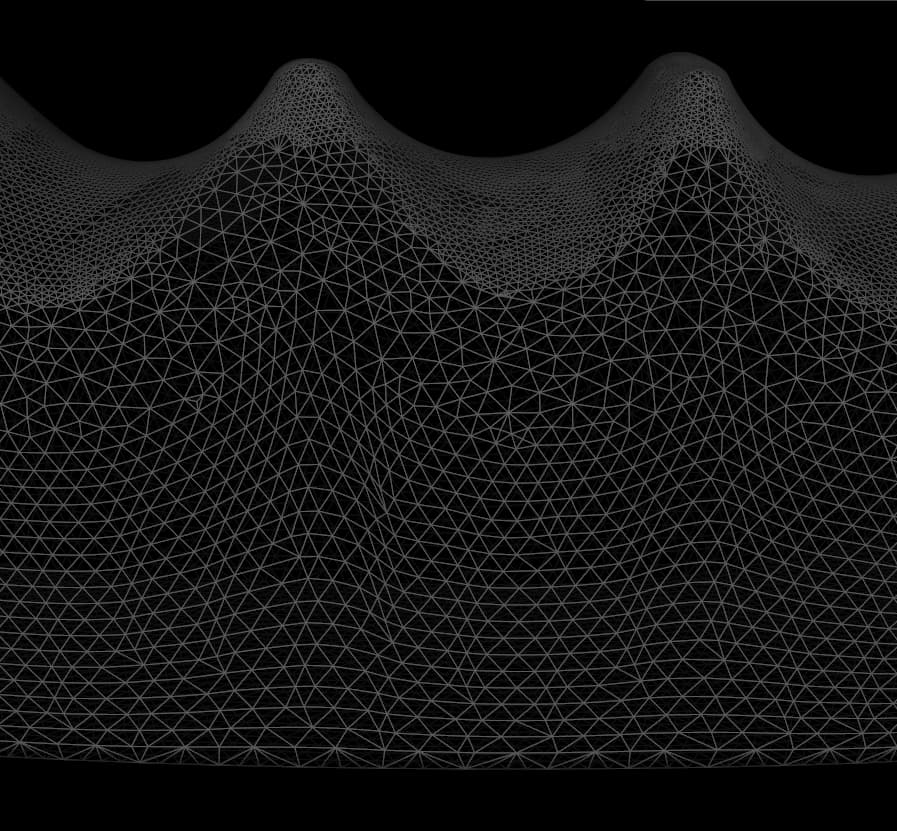
In Javascript I’m getting the following (not-smooth) buf flat-shaded results. All triangles keep being visible whatever I try.
```auto
// this.actor.getProperty().setShading();
this.actor.getProperty().setInterpolationToGouraud();
// this.actor.getProperty().setInterpolationToPhong();
// Set material properties
this.actor.getProperty().setDiffuse(0.9);
this.actor.getProperty().setSpecular(0.05);
this.actor.getProperty().setSpecularPower(5);
this.actor.getProperty().setAmbient(0.2);
```
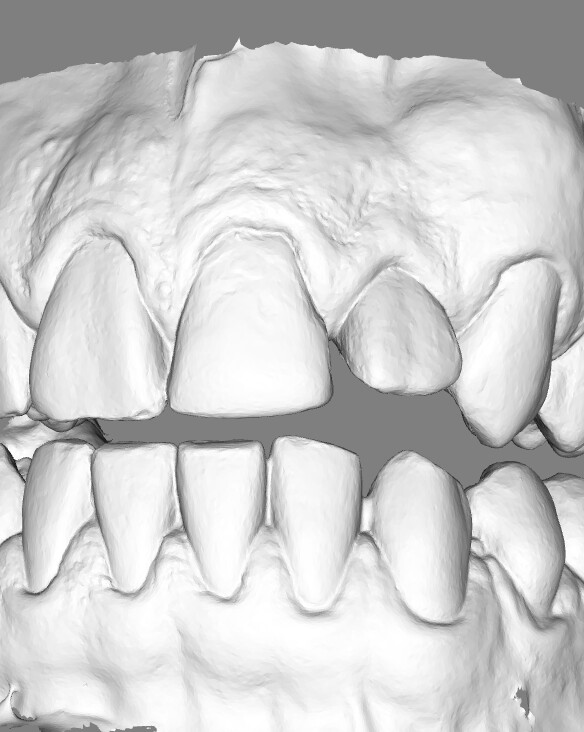
When trying to `this.actor.getProperty().setShading(true);` I get the error that setShading is not a function.
I feel like I’m missing something? Or am doing some wrong things.
This is done in VTKjs 30.4.0
---
### Author:  [@Forrest](https://discourse.vtk.org/u/Forrest)
#### Post date: [June 24, 2024, 2:36pm UTC](https://discourse.vtk.org/t/vtkjs-shading-comparison-to-python/14108/2 "2024-06-24T14:36:22Z")
Are you referring to the second or third photo? In the second photo, it looks like you’re displaying the geometry as a wireframe rather than a surface (`actor.getProperty().setRepresentation(Representation.SURFACE)`).
As for `setShading(true)`, it appears that we have ts definitions for that method but no actual setters/getters for that property. Looks like vtk.js doesn’t support toggling shading, as it should be on by default.
---
### Author:  [@emil-peter](https://discourse.vtk.org/u/emil-peter)
#### Post date: [June 24, 2024, 6:46pm UTC](https://discourse.vtk.org/t/vtkjs-shading-comparison-to-python/14108/3 "2024-06-24T18:46:16Z")
Hi,
I’m referring to the third photo, which is the result of the Javascript version while the first two images are Python.
`(actor.getProperty().setRepresentation(Representation.SURFACE)).` this is set correctly, as it is the default value.
Unfortunatly `setShading(true)` is indeed in the ts definitions but not in the actual source. I changed this and tried again but even then did it not work as intended.
---
### Author:  [@Forrest](https://discourse.vtk.org/u/Forrest)
#### Post date: [June 24, 2024, 7:20pm UTC](https://discourse.vtk.org/t/vtkjs-shading-comparison-to-python/14108/4 "2024-06-24T19:20:16Z")
What does the model from the third photo look like in vtk-python? To me it looks like a high-resolution model, which might not necessarily be smooth.
---
### Author:  [@emil-peter](https://discourse.vtk.org/u/emil-peter)
#### Post date: [June 25, 2024, 6:21am UTC](https://discourse.vtk.org/t/vtkjs-shading-comparison-to-python/14108/6 "2024-06-25T06:21:20Z")
It is indeed a high resolution model, but I want it to look smooth which is what smooth shading does?
Below you can see the same model from vtk-js in vtk-python, in normal “smooth” shading and wireframe mode to give an understanding to the resolution of the model.
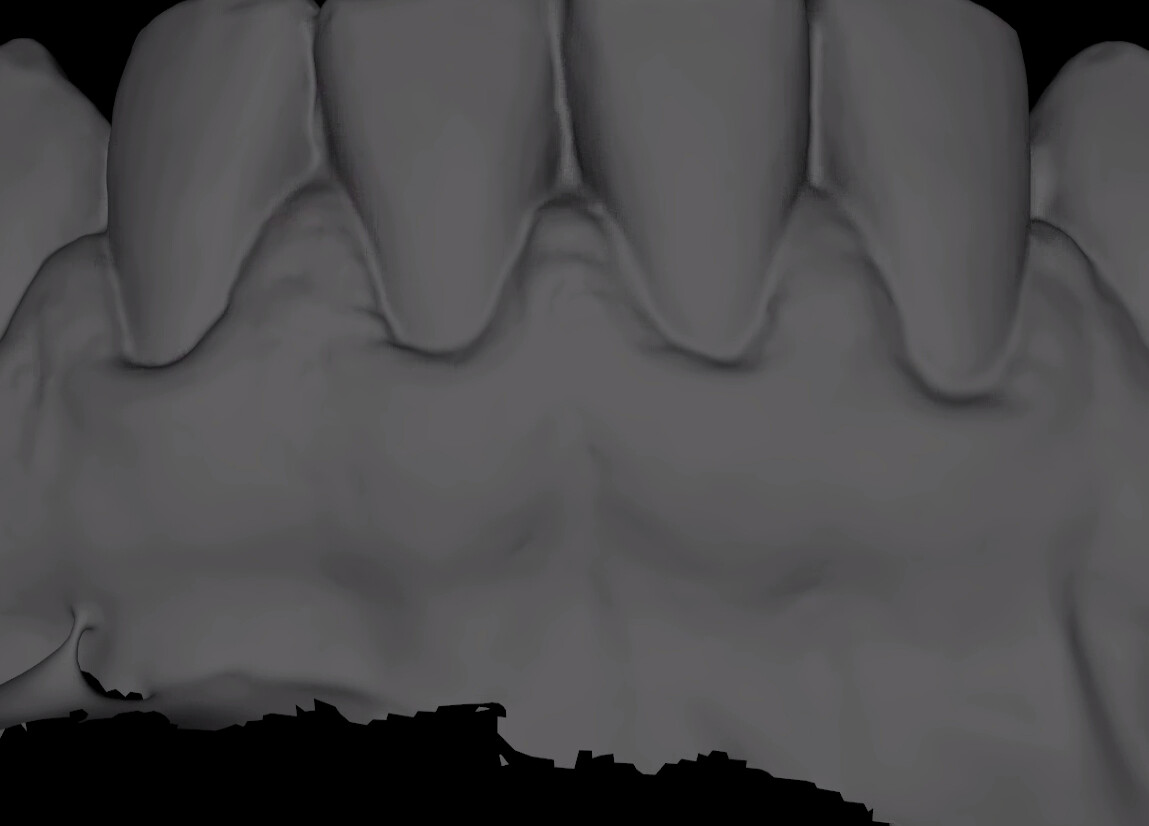
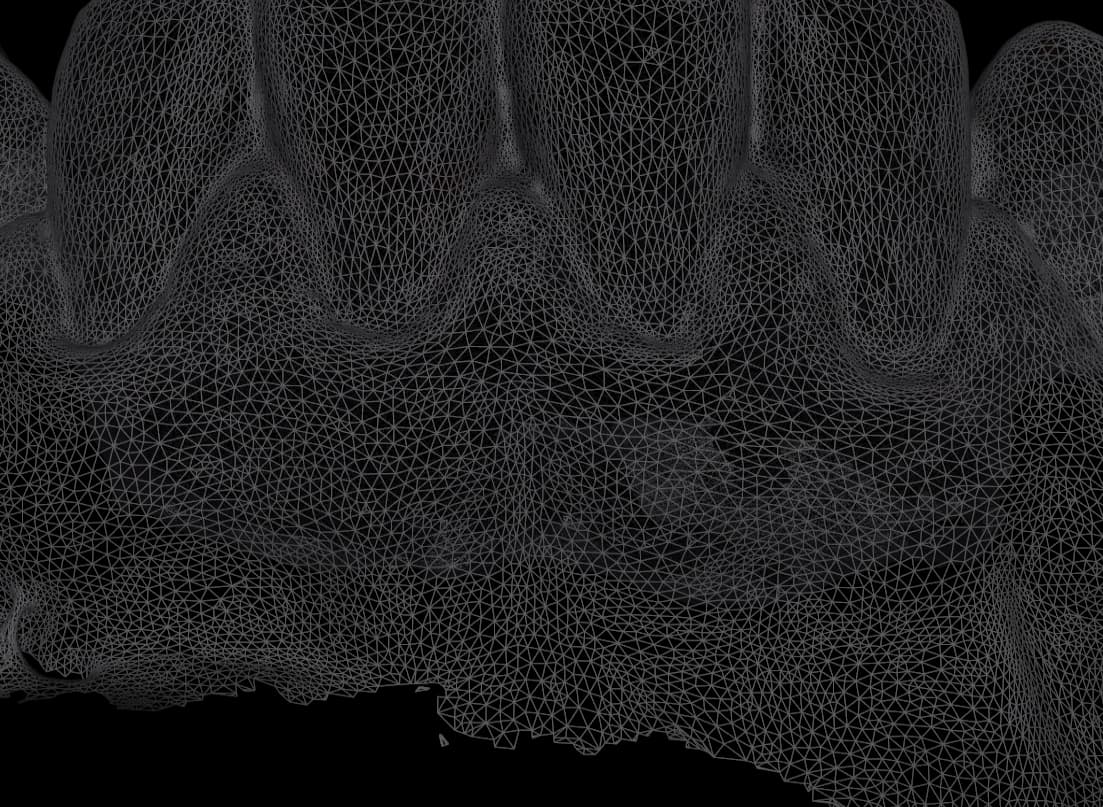
As you can see in the smooth shading, the interpolation ensures that no individual triangles are visible.
Below is an image without shading turned on in python, and you can see the individual triangles in the mesh (flat shading)
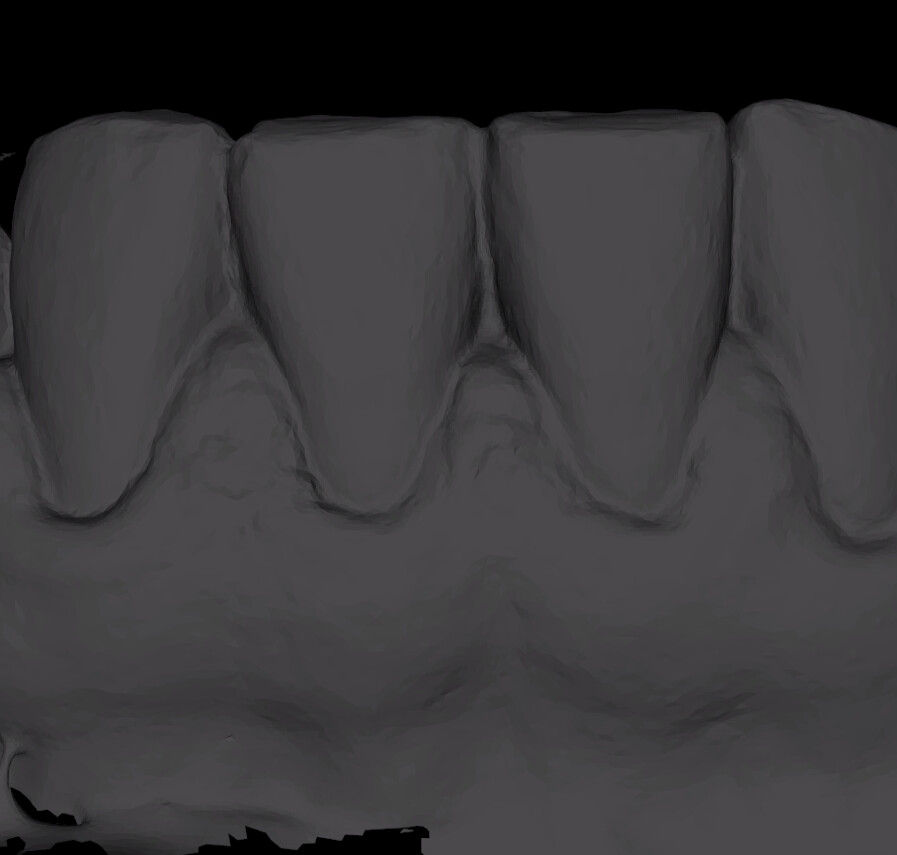
Below you can also see a more detailed zoom comparison between flat-shading and gouraud shading
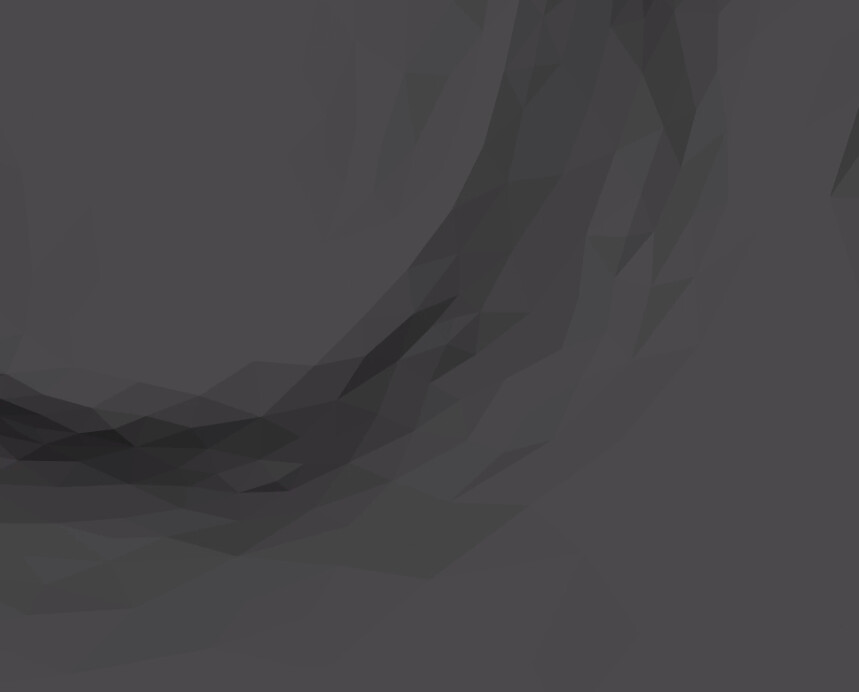

Which brings me to the issue that for some reason vtk-js only shows flat-shading even if gouraud shading is enabled by default.
I do know that the shading requires normals, and I have computed these as well. using:
```auto
const normalsFilter = vtkPolyDataNormals.newInstance();
normalsFilter.setInputData(polydata);
normalsFilter.update();
const result = normalsFilter.getOutputData();
```
any ideas what could be going wrong?
---
### Author:  [@finetjul](https://discourse.vtk.org/u/finetjul)
#### Post date: [June 25, 2024, 7:29am UTC](https://discourse.vtk.org/t/vtkjs-shading-comparison-to-python/14108/7 "2024-06-25T07:29:24Z")
That might be because your points are duplicated per cells. hence the polydata normals do not work.
What reader do you use ? OBJReader has the tendancy of duplicating points. You can look at the OBJReader tests in VTK.js to understand the issue with point duplication.
---
### Author:  [@emil-peter](https://discourse.vtk.org/u/emil-peter)
#### Post date: [June 25, 2024, 7:34am UTC](https://discourse.vtk.org/t/vtkjs-shading-comparison-to-python/14108/8 "2024-06-25T07:34:25Z")
Hi Julien,
Thanks for this insight, we use multiple readers for multiple file-formats (stl, ply, obj, drc, …)
Is there an easy post-processing step I can take to ensure this duplication is taken care of?
Or what approach do you recommend?
---
### Author:  [@finetjul](https://discourse.vtk.org/u/finetjul)
#### Post date: [June 25, 2024, 7:43am UTC](https://discourse.vtk.org/t/vtkjs-shading-comparison-to-python/14108/9 "2024-06-25T07:43:17Z")
Try to load the file with a vtk (vtp) file format to see if you still have the problem.
If you do, then the problem comes from the OBJ reader. You need to “track duplicates” and merge the points in some way…
---
### Author:  [@emil-peter](https://discourse.vtk.org/u/emil-peter)
#### Post date: [June 25, 2024, 9:27am UTC](https://discourse.vtk.org/t/vtkjs-shading-comparison-to-python/14108/10 "2024-06-25T09:27:42Z")
The issue I’m currently having is with STL files, so has nothing to do with the OBJ reader afaik
---
### Author:  [@finetjul](https://discourse.vtk.org/u/finetjul)
#### Post date: [June 25, 2024, 6:34pm UTC](https://discourse.vtk.org/t/vtkjs-shading-comparison-to-python/14108/11 "2024-06-25T18:34:16Z")
Same problem with STL, points are duplicated per cell.
>
That’s why computing point normals makes the cells look flat.
vtk.js is missing a “vtkCleanPolyData” (and/or vtkMergePoints) that merges “coincident” points and remove duplicates.
Feel free to add it or reach out to me if you have funding 😁.
---
### Author:  [@emil-peter](https://discourse.vtk.org/u/emil-peter)
#### Post date: [July 3, 2024, 6:17am UTC](https://discourse.vtk.org/t/vtkjs-shading-comparison-to-python/14108/12 "2024-07-03T06:17:25Z")
Hi Jullien,
Thanks for all the help. There was indeed an issue with duplicated points per cell. We have fixed this by post-processing the incoming meshes.
The shading works perfect now.
Kind Regards,
Emil
---
### Author:  [@finetjul](https://discourse.vtk.org/u/finetjul)
#### Post date: [July 3, 2024, 6:22am UTC](https://discourse.vtk.org/t/vtkjs-shading-comparison-to-python/14108/13 "2024-07-03T06:22:14Z")
Glad it worked. That would be great if you could turn your post-processing step as a VTK filter and contribute it back to VTK.js…