surface;
surface->SetInputData(voxelImage);
surface->ComputeNormalsOn();
surface->SetValue(0, 1.0);
//surface->GenerateValues(1, 1, 1);
surface->Update();
```
While it succeeds in generating a mesh-surface which represents the surface of the occupied voxels, the resulting mesh-surfaces has holes (mostly axis-parallel surfaces are missing).
For example, given this voxel grid as input:
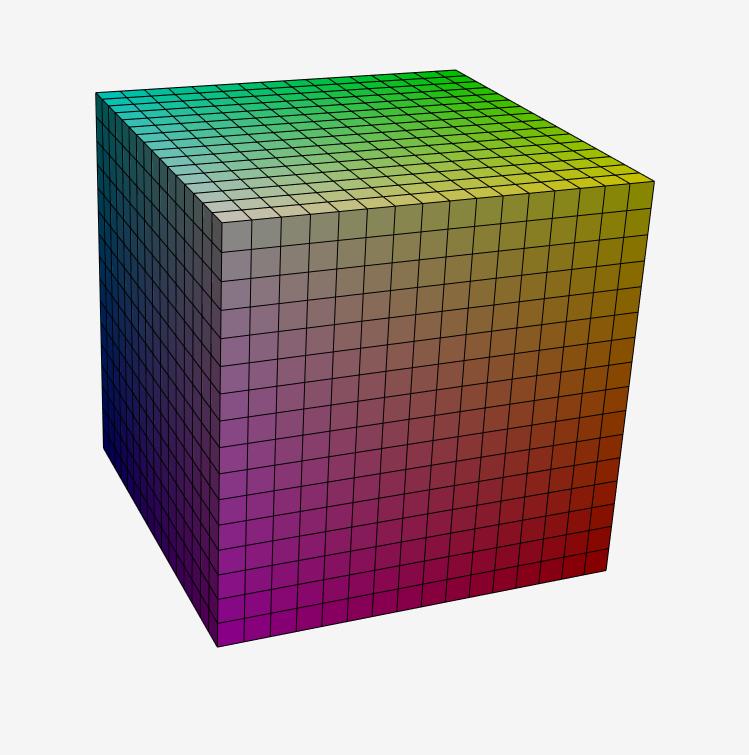
The output should be simply a cube with all sides closed.
However, this is what i get:
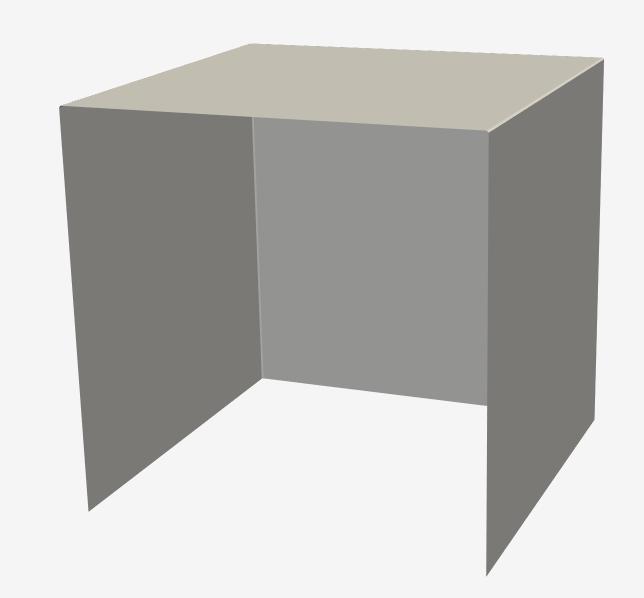
A cube surface, where only half of the sides are closed.
I tried this with a variety of voxel representations and mostly axis parallel surfaces are almost always missing (but there are also additional holes at times.)
What can i do to get a closed surface mesh from a binary voxel grid (labelmap) using vtk?
Thank you very much in advance.
---
### Author:  [@lassoan](https://discourse.vtk.org/u/lassoan)
#### Post date: [September 28, 2020, 3:10pm UTC](https://discourse.vtk.org/t/vtkmarchingcubes-vtkdiscretemarchingcubes-does-not-produce-a-closed-mesh-surface/4312/2 "2020-09-28T15:10:19Z")
Make sure you have a margin of at least one empty voxel around the filled voxels.
---
### Author:  [@bertikrueger](https://discourse.vtk.org/u/bertikrueger)
#### Post date: [September 29, 2020, 11:33pm UTC](https://discourse.vtk.org/t/vtkmarchingcubes-vtkdiscretemarchingcubes-does-not-produce-a-closed-mesh-surface/4312/3 "2020-09-29T23:33:20Z")
Hello Andras.
Thank you very much for your reply. I will try it.
Can i use the vtkImageConstantPad for this or should i do it on my own?
Regards.
---
### Author:  [@bertikrueger](https://discourse.vtk.org/u/bertikrueger)
#### Post date: [September 30, 2020, 4:30am UTC](https://discourse.vtk.org/t/vtkmarchingcubes-vtkdiscretemarchingcubes-does-not-produce-a-closed-mesh-surface/4312/4 "2020-09-30T04:30:24Z")
Hello again Andras.
I did what you suggested.
And it works like charm!
Thank you!
Here is what i did:
```
vtkNew translator;
translator->SetInputData(voxelImageResult);
translator->SetExtentTranslation (1, 1, 1);
translator->SetOriginTranslation(-spacing[0], -spacing[1], -spacing[2]);
translator->Update();
vtkNew pad;
pad->SetInputConnection(translator->GetOutputPort ());
pad->SetOutputWholeExtent(0, resolution + 1,
0, resolution + 1,
0, resolution + 1);
pad->SetConstant(0);
pad->Update();
```
And that did the trick!
---
### Author:  [@Charles\_Gueunet](https://discourse.vtk.org/u/Charles_Gueunet)
#### Post date: [September 30, 2020, 9:07am UTC](https://discourse.vtk.org/t/vtkmarchingcubes-vtkdiscretemarchingcubes-does-not-produce-a-closed-mesh-surface/4312/5 "2020-09-30T09:07:16Z")
Not sure if I have missed something, but to transform your image data into a surface you can also
use the [vtkGeometryFilter](https://vtk.org/doc/nightly/html/classvtkGeometryFilter.html#details).
---
### Author:  [@bertikrueger](https://discourse.vtk.org/u/bertikrueger)
#### Post date: [October 4, 2020, 4:40am UTC](https://discourse.vtk.org/t/vtkmarchingcubes-vtkdiscretemarchingcubes-does-not-produce-a-closed-mesh-surface/4312/6 "2020-10-04T04:40:05Z")
Hello Charles.
Thank you very much for the suggestion.
But i have tried it with the vtkGeometryFilter and it does not work. When i export the result with the vtkSTLWriter i don’t get a valid output. I think that since the vtkGeometryFilter has no option for specifing the isosurface (that is the only thing i got here, since it is in VTK-terms a “binary labelmap”) it simply tries to output anything.
With the above solution (using the marching cubes or flying edges algorithm and having a margin of an empty voxel) everything works as it should.
But thanks again for the suggestion!