How to transition away from vtkSurfaceNets3D SetOutputStyleToSelected API

The following code creates image data with two regions, where one region (ID 2) is surrounded by background values (ID 0) on all sides except for one, where there is a single shared boundary with another region (ID 5).

Using vtkSurfaceNets3D, it’s possible to extract this internal boundary using a combination of SetOutputStyleToSelected, SetLabel, and AddSelectedLabel.

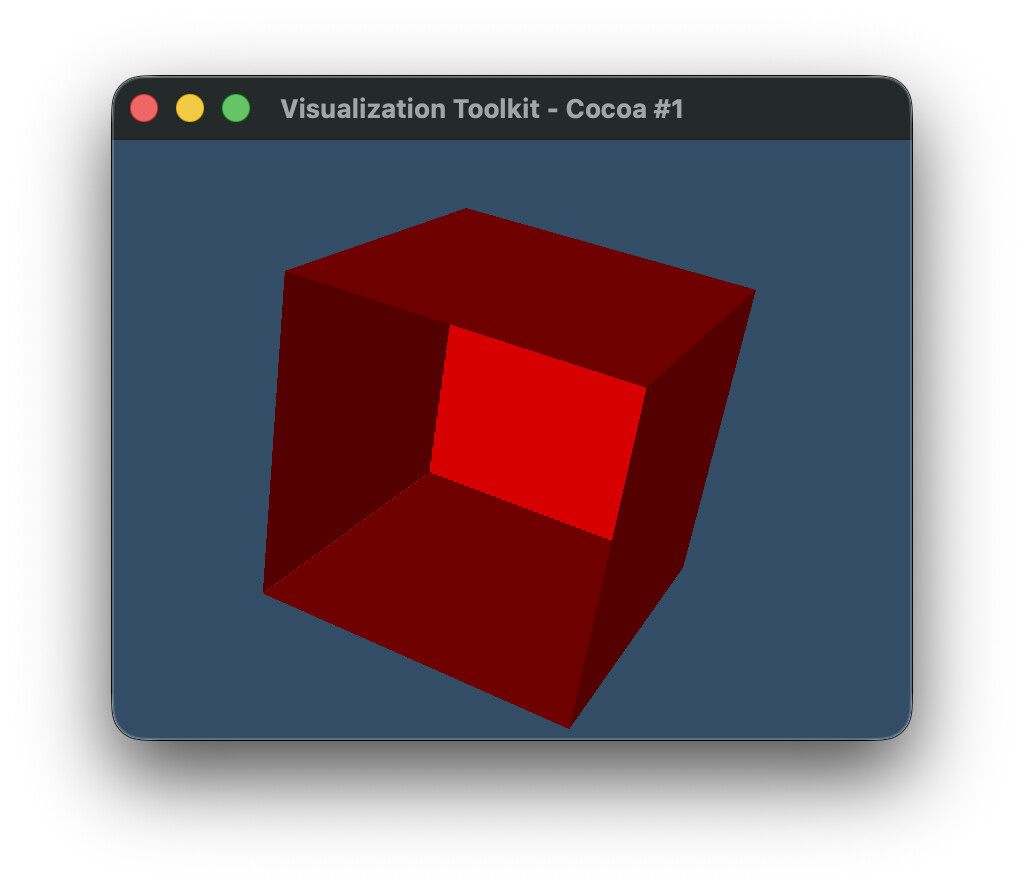
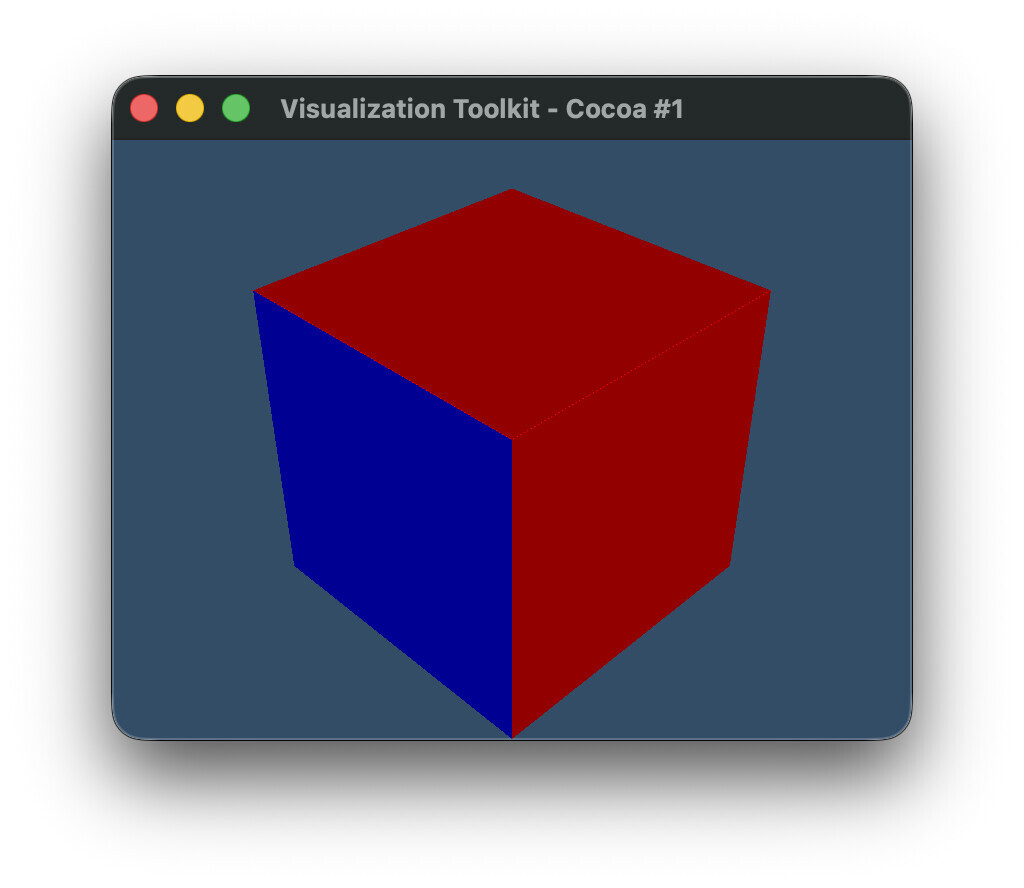
With VTK 9.6.2, the code below generates this output (using contour_old(image)):
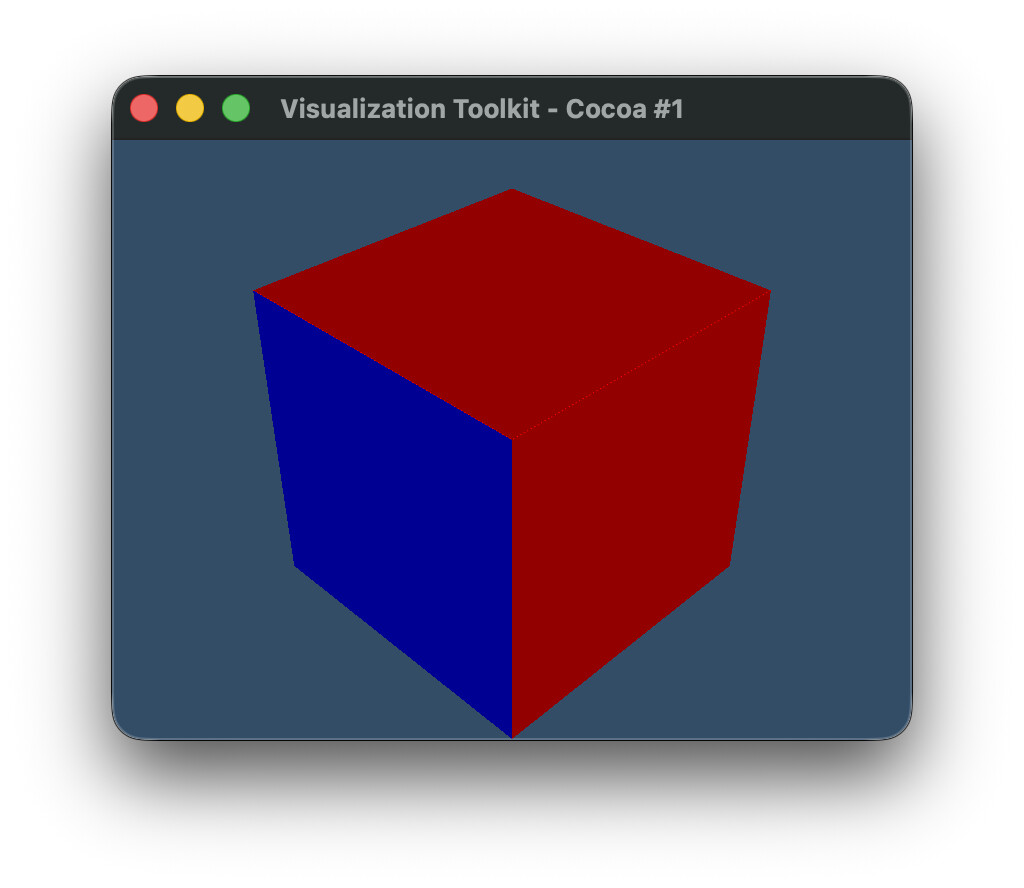
where the 1 component of the two-component ‘BoundaryLabels’ array is shown as colored cells. The blue cells show the internal boundary [2, 5] (plotted as value 5), whereas the red cells show the external boundary with the background [2, 0] (plotted as value 0).

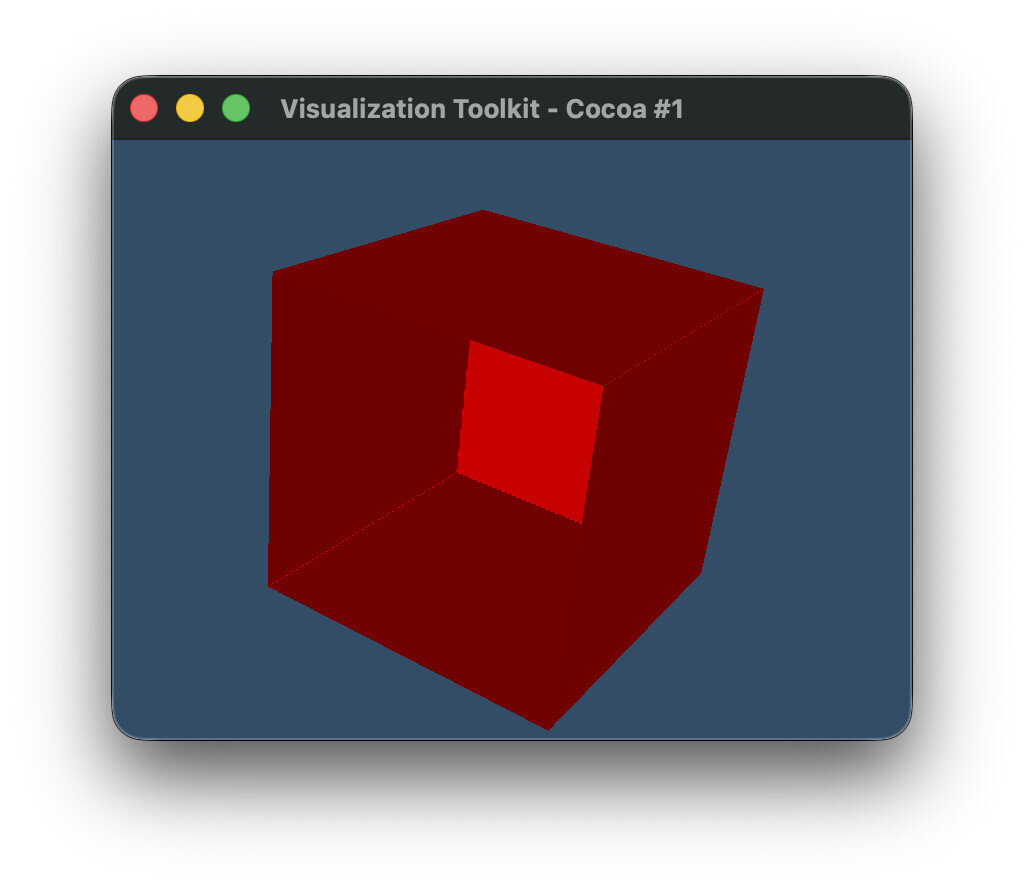
With the latest VTK built from master, we still get the same result using contour_old(image), but there is a deprecation warning for SetOutputStyleToSelected and AddSelectedLabel, suggesting to use vtkSurfaceNetsAtlas instead. Notably SetLabel is not deprecated, but maybe it should be? I tried recreating the same result using the new API (and still using the old SetLabel on vtkSurfaceNets3D), but I am unable to reproduce the result using the contour_new(image) code below. This is the result I get instead, with the internal boundary between regions missing, such that we now see “inside” the contour.
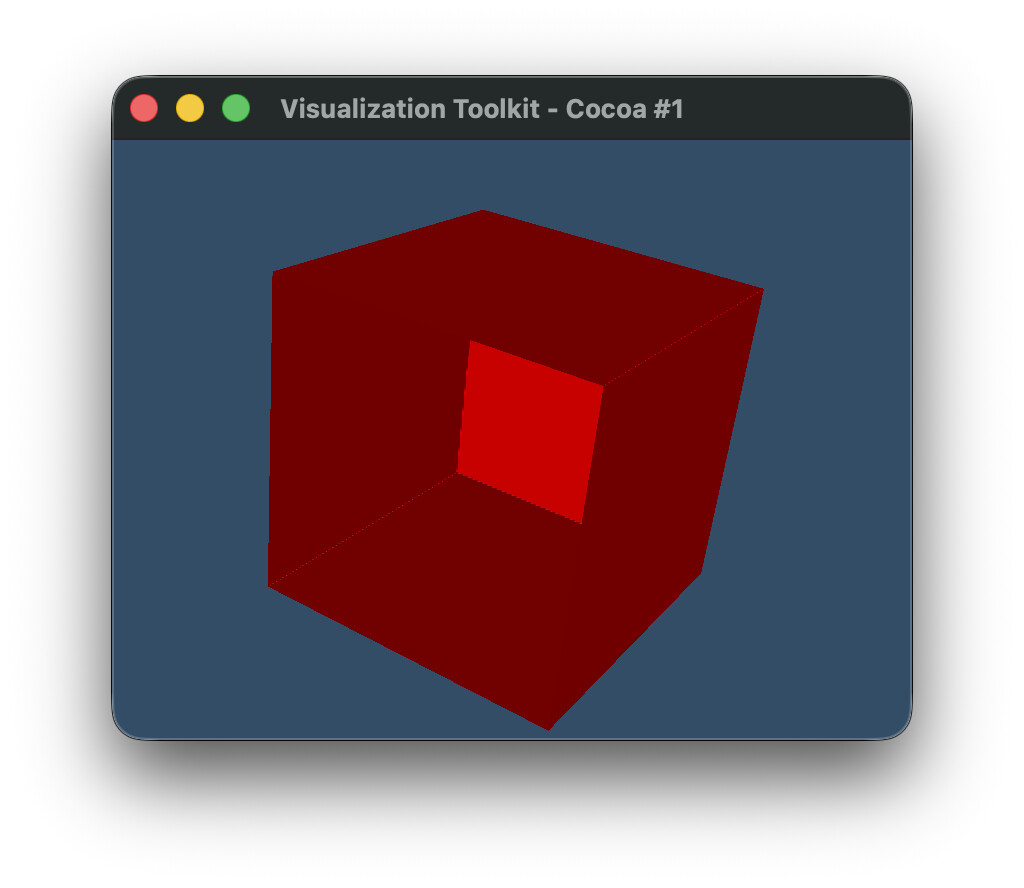
Am I missing something, or was this perhaps an oversight for the deprecation, and the deprecation for SetLabel was missed?

Maybe @spyridon97 can comment on this?

import vtk


def create_labeled_image():
    # Create 4x3x3 image with two adjacent labels

    # First label (ID 2):
    #   has a single point near center of image,
    #   is adjacent to second label,
    #   is otherwise surrounded by background,

    # Second label (ID 5):
    #   has two points near center of image,
    #   is adjacent to first label,
    #   has one side touching image boundary,
    #   is otherwise surrounded by background

    dim = (4, 3, 3)

    image = vtk.vtkImageData()
    image.SetDimensions(dim)

    n_points = dim[0] * dim[1] * dim[2]
    labels = vtk.vtkIntArray()
    labels.SetName("labels")
    labels.SetNumberOfComponents(1)
    labels.SetNumberOfTuples(n_points)

    for i in range(n_points):
        labels.SetValue(i, 0)

    labels.SetValue(17, 2)
    labels.SetValue(18, 5)
    labels.SetValue(19, 5)

    image.GetPointData().AddArray(labels)
    image.GetPointData().SetActiveScalars("labels")
    return image


def contour_old(image):
    surface_nets = vtk.vtkSurfaceNets3D()
    surface_nets.SetInputData(image)
    surface_nets.SmoothingOff()

    surface_nets.AddSelectedLabel(2)  # Moved to atlas in 9.7
    surface_nets.SetOutputStyleToSelected()  # Moved to atlas in 9.7
    surface_nets.SetLabel(2, 2)  # Missing from atlas in 9.7 (?)
    surface_nets.SetLabel(5, 5)

    surface_nets.Update()
    return surface_nets.GetOutput()


def contour_new(image):
    surface_nets = vtk.vtkSurfaceNets3D()
    surface_nets.SetInputData(image)
    surface_nets.SmoothingOff()
    surface_nets.SetLabel(2, 2)
    surface_nets.SetLabel(5, 5)
    surface_nets.Update()

    atlas = vtk.vtkSurfaceNetsAtlas()
    atlas.SetInputDataObject(surface_nets.GetOutput())
    atlas.SetExtractionModeToLabelSet()
    atlas.AddSelectedLabel(2)
    atlas.SetOutputStyleToBoundary()
    atlas.Update()
    pdc = atlas.GetOutput()

    blocks = [
        pds.GetPartition(j)
        for i in range(pdc.GetNumberOfPartitionedDataSets())
        for pds in [pdc.GetPartitionedDataSet(i)]
        for j in range(pds.GetNumberOfPartitions())
        if pds.GetPartition(j) is not None
    ]

    append = vtk.vtkAppendPolyData()
    for block in blocks:
        append.AddInputData(block)
    append.Update()
    return append.GetOutput()


def plot(poly):
    # Mapper
    mapper = vtk.vtkPolyDataMapper()
    mapper.SetInputData(poly)
    mapper.SetScalarModeToUseCellData()
    mapper.SelectColorArray("BoundaryLabels")
    mapper.ScalarVisibilityOn()
    mapper.SetColorModeToMapScalars()
    mapper.SetArrayComponent(1)

    # Actor
    actor = vtk.vtkActor()
    actor.SetMapper(mapper)

    # Renderer
    renderer = vtk.vtkRenderer()
    renderer.AddActor(actor)
    renderer.SetBackground(0.2, 0.3, 0.4)

    # Render window
    render_window = vtk.vtkRenderWindow()
    render_window.AddRenderer(renderer)
    render_window.SetSize(800, 600)

    # Interactor
    interactor = vtk.vtkRenderWindowInteractor()
    interactor.SetRenderWindow(render_window)

    renderer.ResetCamera()

    camera = renderer.GetActiveCamera()
    camera.SetPosition(1, 1, 1)
    camera.SetFocalPoint(0, 0, 0)
    camera.SetViewUp(0, 0, 1)

    renderer.ResetCamera()
    render_window.Render()

    # Start rendering
    render_window.Render()
    interactor.Start()


image = create_labeled_image()
# poly = contour_old(image)
poly = contour_new(image)
plot(poly)

EDIT: Fix colors that are referenced in plot
SetValue/label sets the labels to consider from the input image while extracting the surface.

typically, all are extracted. so that smoothing and surface extraction can be more accurate geometrically.

AddSelectedLabel adds a label to extract out of the extracted ones (those defined above).

So is there no way to reproduce the old output with the new API? I.e. this feature has been removed?

typically, all are extracted. so that smoothing and surface extraction can be more accurate geometrically.

Indeed my use case does not use the default settings. But what do you mean by “all” and “accurate”?

I find that the default settings for surface nets does not extract all boundaries: it only extracts the exterior ones, and the internal boundaries are missing. Since the internal boundaries are missing, this makes the smoothing less accurate. I use SetOutputStyleToSelected and SetLabel API specifically to improve the smoothing and the generated output. When the internal boundaries are generated, the smoothing takes these into account, resulting in much better contours IMO.

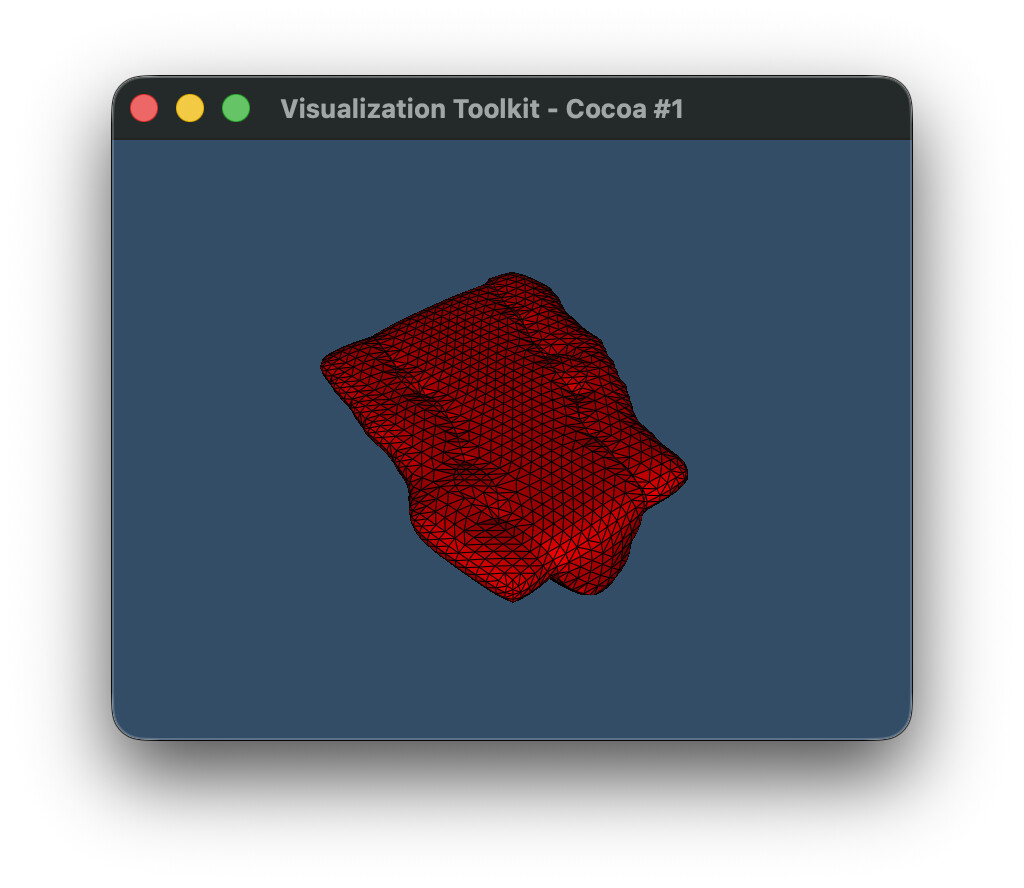
Here’s an example using a real data set with smoothing enabled (unlike the toy example above, which had it disabled).

example.vti (2.7 KB)

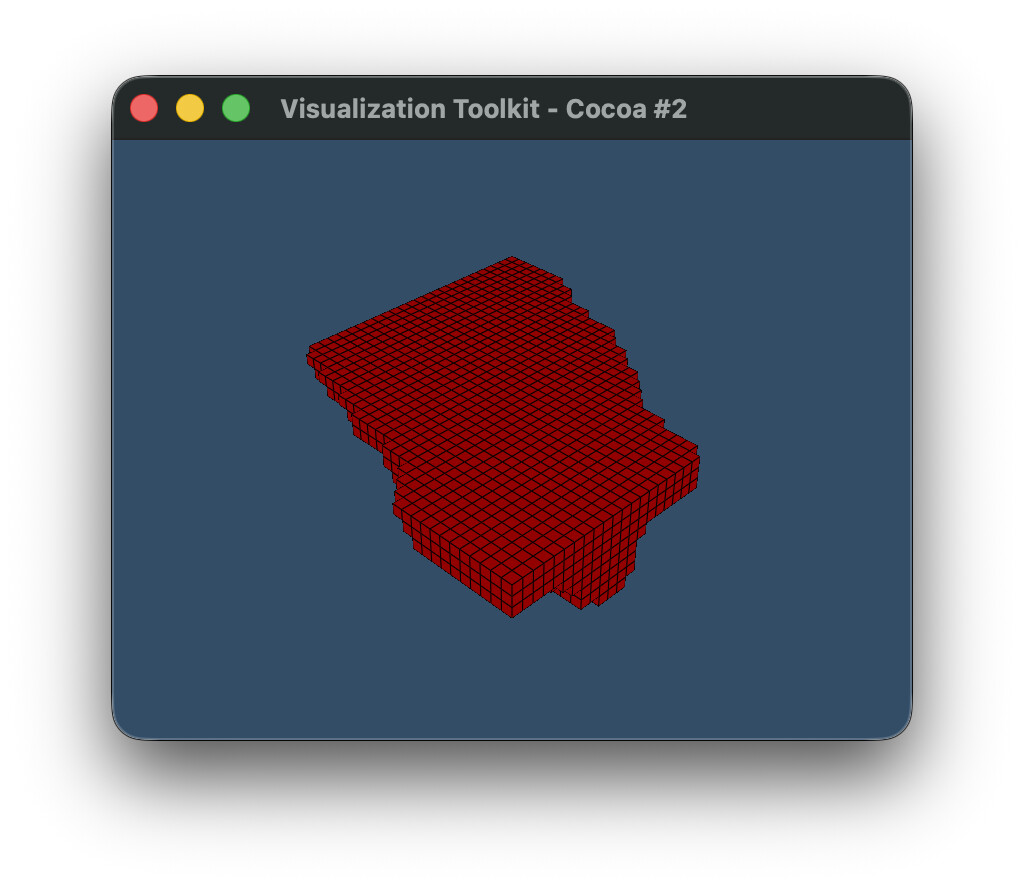
Using the old (deprecated) API:

Using the new atlas API:

Code:

import vtk

def contour_old(image):
    surface_nets = vtk.vtkSurfaceNets3D()
    surface_nets.SetInputData(image)

    surface_nets.SetOutputStyleToSelected()
    
    surface_nets.AddSelectedLabel(1)
    surface_nets.AddSelectedLabel(2)
    surface_nets.AddSelectedLabel(3)
    surface_nets.AddSelectedLabel(4)
    
    surface_nets.SetLabel(1, 1)
    surface_nets.SetLabel(2, 2)
    surface_nets.SetLabel(3, 3)
    surface_nets.SetLabel(4, 4)

    surface_nets.Update()
    return surface_nets.GetOutput()


def contour_new(image):
    surface_nets = vtk.vtkSurfaceNets3D()
    surface_nets.SetInputData(image)
    surface_nets.SmoothingOff()
    surface_nets.SetLabel(1, 1)
    surface_nets.SetLabel(2, 2)
    surface_nets.SetLabel(3, 3)
    surface_nets.SetLabel(4, 4)
    surface_nets.Update()

    atlas = vtk.vtkSurfaceNetsAtlas()
    atlas.SetInputDataObject(surface_nets.GetOutput())
    atlas.SetExtractionModeToLabelSet()
    atlas.AddSelectedLabel(1)
    atlas.AddSelectedLabel(2)
    atlas.AddSelectedLabel(3)
    atlas.AddSelectedLabel(4)
    atlas.SetOutputStyleToBoundary()
    atlas.Update()
    pdc = atlas.GetOutput()

    blocks = [
        pds.GetPartition(j)
        for i in range(pdc.GetNumberOfPartitionedDataSets())
        for pds in [pdc.GetPartitionedDataSet(i)]
        for j in range(pds.GetNumberOfPartitions())
        if pds.GetPartition(j) is not None
    ]

    append = vtk.vtkAppendPolyData()
    for block in blocks:
        append.AddInputData(block)
    append.Update()
    return append.GetOutput()


def plot(poly):
    # Mapper
    mapper = vtk.vtkPolyDataMapper()
    mapper.SetInputData(poly)
    mapper.SetScalarModeToUseCellData()
    mapper.SelectColorArray("BoundaryLabels")
    mapper.ScalarVisibilityOn()
    mapper.SetColorModeToMapScalars()
    mapper.SetArrayComponent(1)

    # Actor
    actor = vtk.vtkActor()
    actor.SetMapper(mapper)
    
    # Property
    property = actor.GetProperty()
    property.SetEdgeVisibility(True)

    # Renderer
    renderer = vtk.vtkRenderer()
    renderer.AddActor(actor)
    renderer.SetBackground(0.2, 0.3, 0.4)

    # Render window
    render_window = vtk.vtkRenderWindow()
    render_window.AddRenderer(renderer)
    render_window.SetSize(800, 600)

    # Interactor
    interactor = vtk.vtkRenderWindowInteractor()
    interactor.SetRenderWindow(render_window)

    renderer.ResetCamera()

    camera = renderer.GetActiveCamera()
    camera.SetPosition(1, 1, 1)
    camera.SetFocalPoint(0, 0, 0)
    camera.SetViewUp(0, 0, 1)

    renderer.ResetCamera()
    render_window.Render()

    # Start rendering
    render_window.Render()
    interactor.Start()


reader = vtk.vtkXMLImageDataReader()
reader.SetFileName('example.vti')
reader.Update()
image = reader.GetOutput()

poly_old = contour_old(image)
plot(poly_old)
poly_new = contour_new(image)
plot(poly_new)

Whoops, I forgot to remove SmoothingOff() from the new version. Indeed, removing this, the output results look the same. So I guess the new API fixed what was previously a workaround?

I’ll have another look at my code and see what else I need to do to update to the new API.

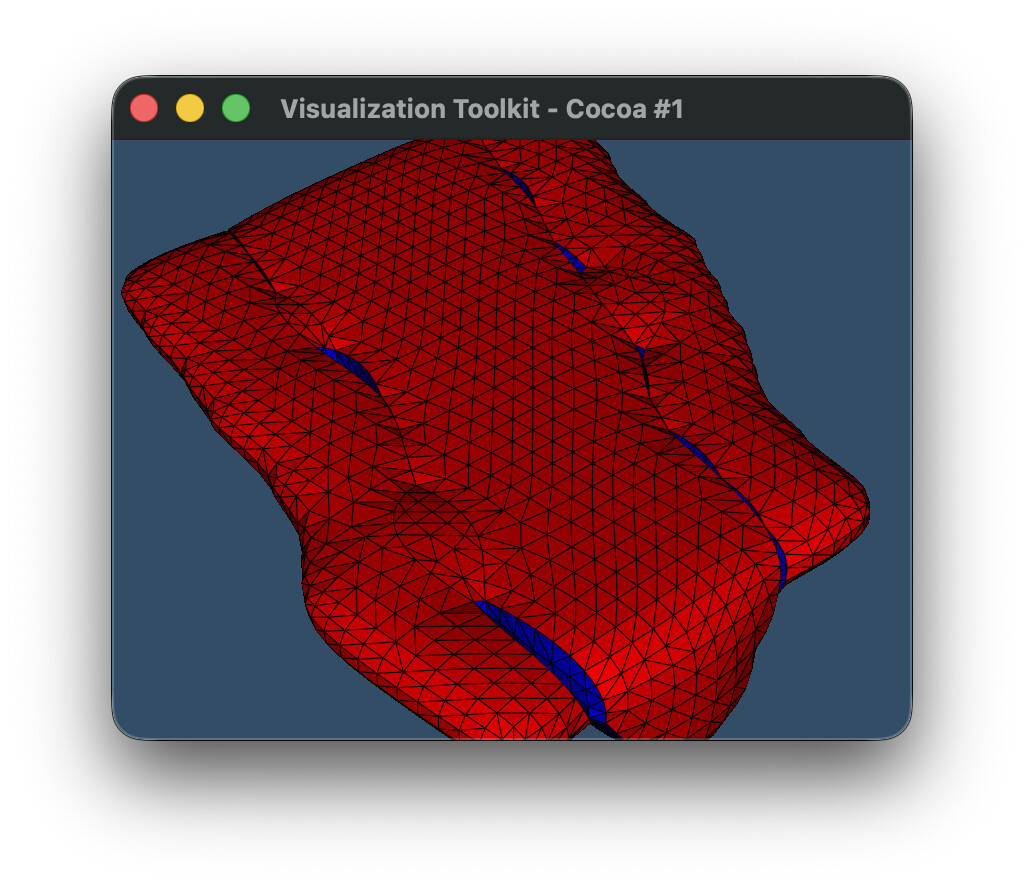
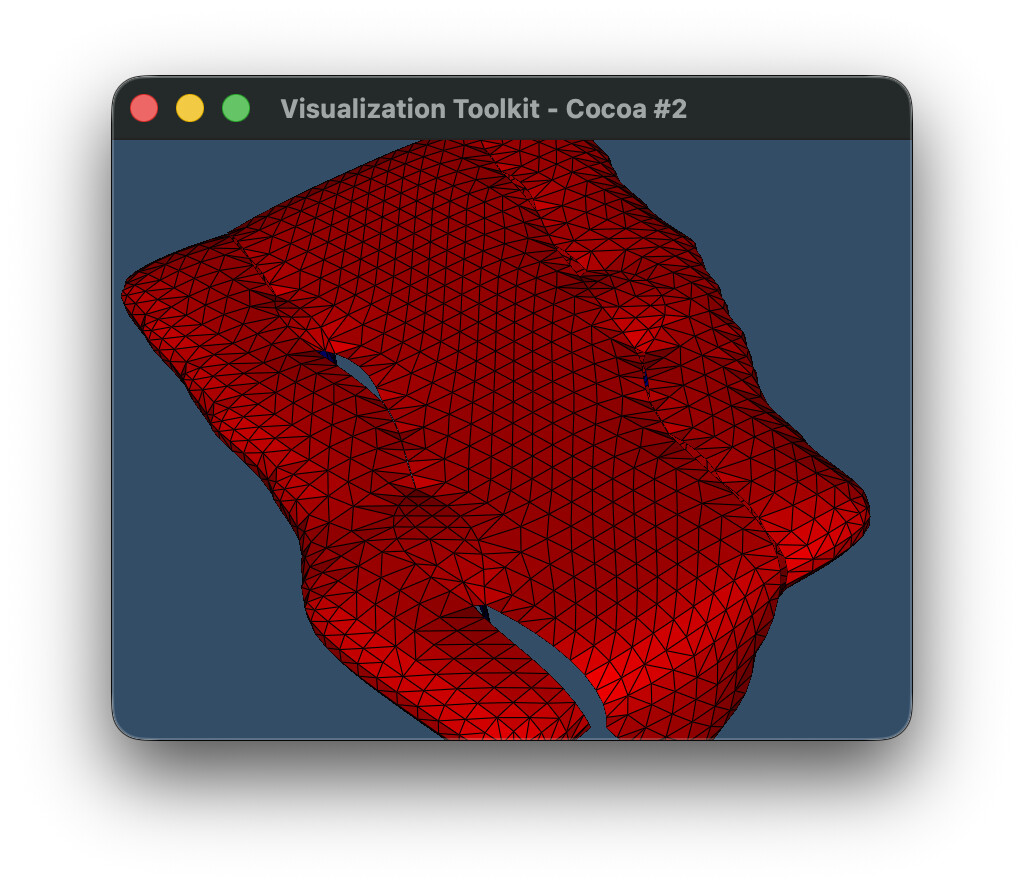
Okay so I was able to reproduce this bug after with the real dataset, and the new API does indeed remove boundaries that were otherwise there with the old API (just like the toy example I presented initially above).

Same code as above, but just remove the AddSelectedLabel(2) lines. We can see that the blue cells are completely gone with the new atlas.

Old API

New API

``` import vtk

def contour_old(image):
surface_nets = vtk.vtkSurfaceNets3D()
surface_nets.SetInputData(image)

surface_nets.SetOutputStyleToSelected()

surface_nets.AddSelectedLabel(1)
surface_nets.AddSelectedLabel(3)
surface_nets.AddSelectedLabel(4)

surface_nets.SetLabel(1, 1)
surface_nets.SetLabel(2, 2)
surface_nets.SetLabel(4, 4)

surface_nets.Update()
return surface_nets.GetOutput()

def contour_new(image):
surface_nets = vtk.vtkSurfaceNets3D()
surface_nets.SetInputData(image)
surface_nets.SetLabel(1, 1)
surface_nets.SetLabel(2, 2)
surface_nets.SetLabel(4, 4)
surface_nets.Update()

atlas = vtk.vtkSurfaceNetsAtlas()
atlas.SetInputDataObject(surface_nets.GetOutput())
atlas.SetExtractionModeToLabelSet()
atlas.AddSelectedLabel(1)
atlas.AddSelectedLabel(3)
atlas.AddSelectedLabel(4)
atlas.SetOutputStyleToBoundary()
atlas.Update()
pdc = atlas.GetOutput()

blocks = [
    pds.GetPartition(j)
    for i in range(pdc.GetNumberOfPartitionedDataSets())
    for pds in [pdc.GetPartitionedDataSet(i)]
    for j in range(pds.GetNumberOfPartitions())
    if pds.GetPartition(j) is not None
]

append = vtk.vtkAppendPolyData()
for block in blocks:
    append.AddInputData(block)
append.Update()
return append.GetOutput()

def plot(poly):
# Mapper
mapper = vtk.vtkPolyDataMapper()
mapper.SetInputData(poly)
mapper.SetScalarModeToUseCellData()
mapper.SelectColorArray(“BoundaryLabels”)
mapper.ScalarVisibilityOn()
mapper.SetColorModeToMapScalars()
mapper.SetArrayComponent(1)

# Actor
actor = vtk.vtkActor()
actor.SetMapper(mapper)

# Property
property = actor.GetProperty()
property.SetEdgeVisibility(True)

# Renderer
renderer = vtk.vtkRenderer()
renderer.AddActor(actor)
renderer.SetBackground(0.2, 0.3, 0.4)

# Render window
render_window = vtk.vtkRenderWindow()
render_window.AddRenderer(renderer)
render_window.SetSize(800, 600)

# Interactor
interactor = vtk.vtkRenderWindowInteractor()
interactor.SetRenderWindow(render_window)

renderer.ResetCamera()

camera = renderer.GetActiveCamera()
camera.SetPosition(1, 1, 1)
camera.SetFocalPoint(0, 0, 0)
camera.SetViewUp(0, 0, 1)

renderer.ResetCamera()
camera.Zoom(2)
render_window.Render()

# Start rendering
render_window.Render()
interactor.Start()

reader = vtk.vtkXMLImageDataReader()
reader.SetFileName(‘example.vti’)
reader.Update()
image = reader.GetOutput()

poly_old = contour_old(image)
plot(poly_old)
poly_new = contour_new(image)
plot(poly_new)