Hi everyone,
I am implementing a mesh cutting feature using vtkBoxClipDataSet on arbitrary meshes.
-
Input: Arbitrary
vtkPolyDataconstructed from triangle parameters (in my current test case, the geometry happens to be a cylinder, but it could be any shape). -
Pipeline:
vtkBoxClipDataSet→vtkTriangleFilter→vtkCleanPolyData→vtkPolyDataNormals.
I have prototyped this workflow in ParaView, and it produces a smooth, continuous surface. However, when I implement the exact same pipeline in C++, the result looks “shattered” (hard edges everywhere), as if every triangle is detached.
My Investigation & Evidence
To isolate the issue, I exported .vtp files at every stage of my C++ pipeline and compared them with manual filters in ParaView (A/B testing).
1. Confirming “Clean” works in C++
-
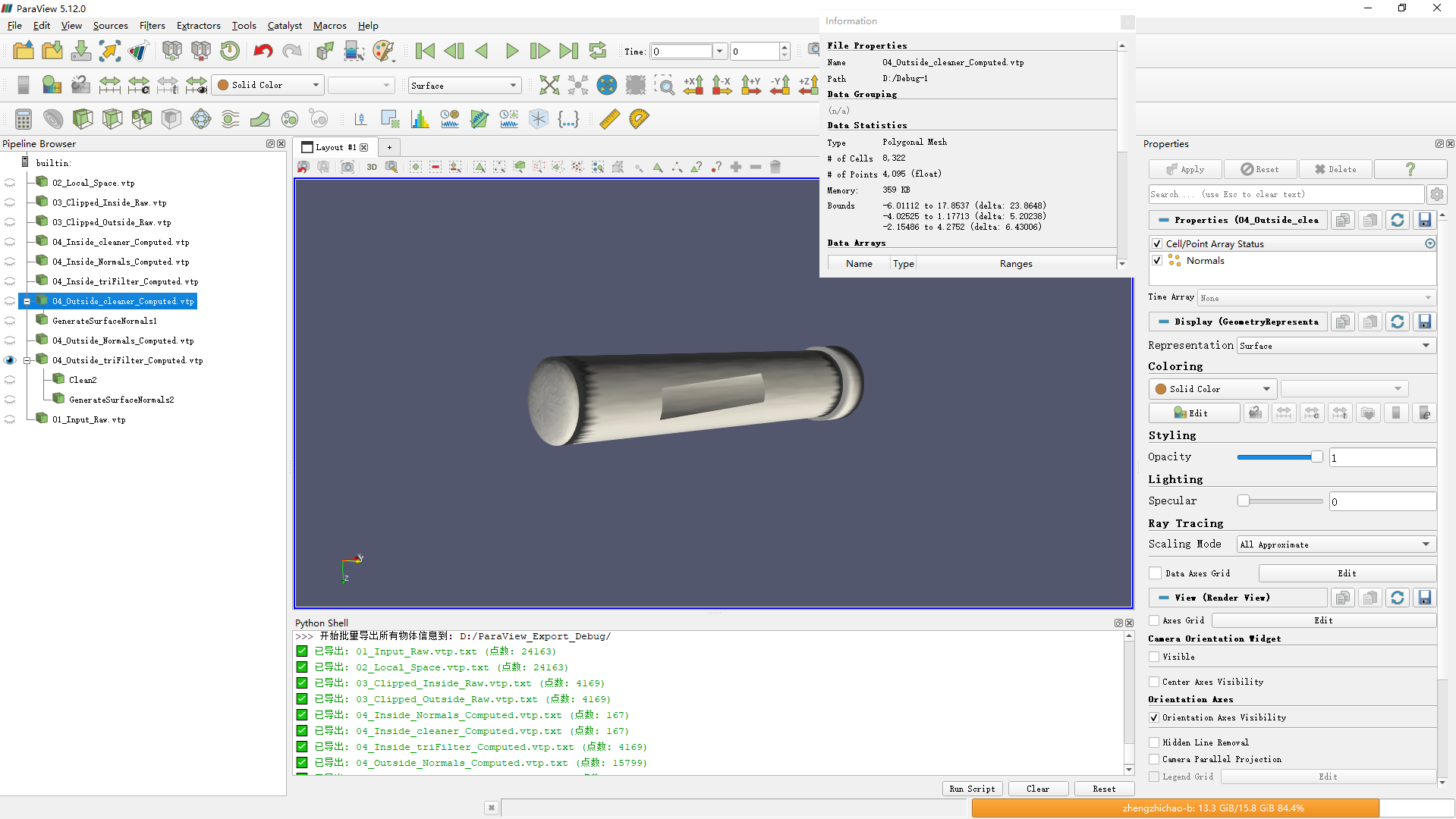
File A:
04_Outside_cleaner_Computed.vtp(Exported after C++vtkCleanPolyData). -
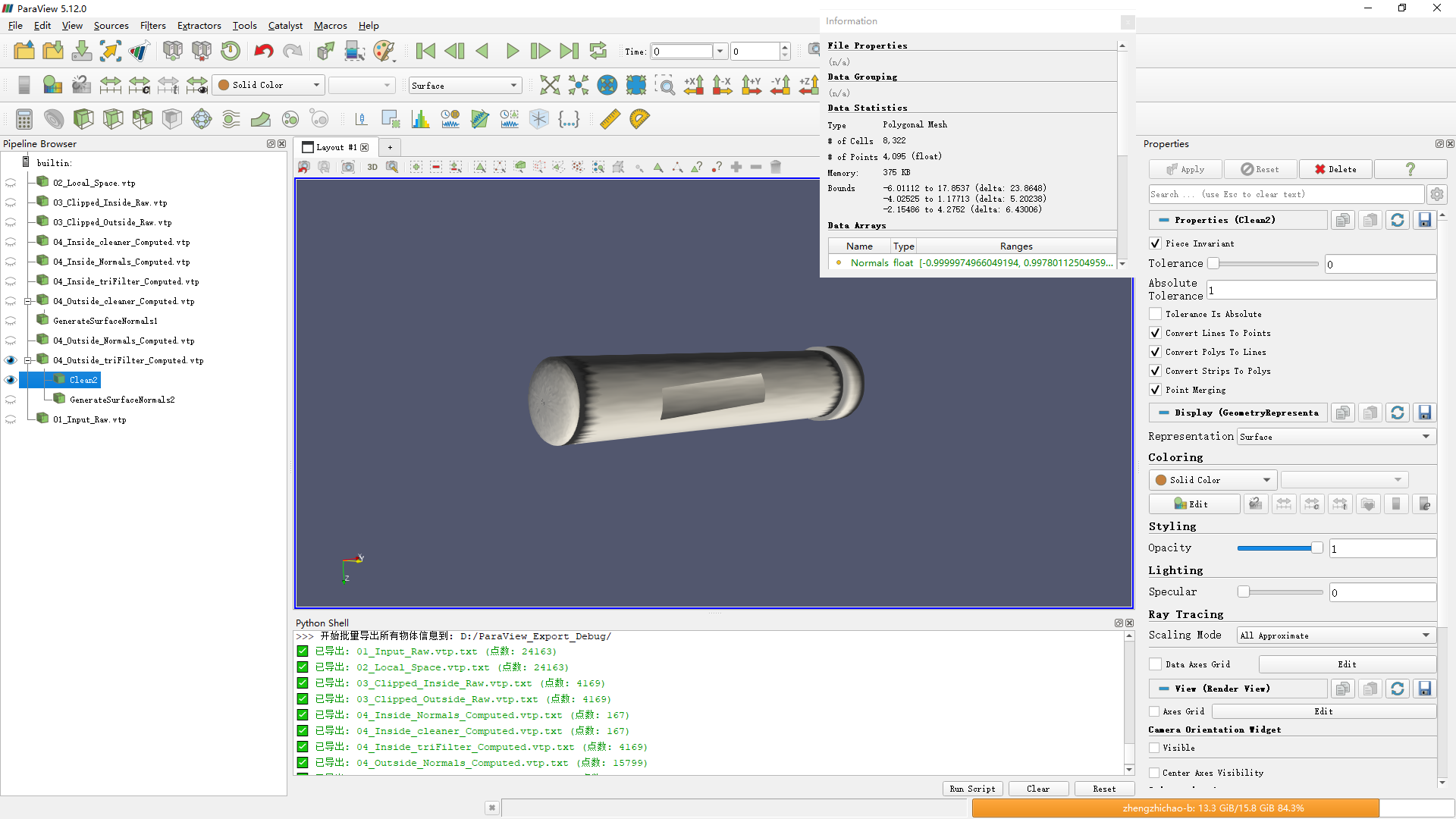
File B:
04_Outside_triFilter_Computed.vtp(Exported after C++ Triangulation) → Manually appliedCleanfilter in ParaView. -
Observation: Both File A and File B have the exact same number of points and cells (Point count reduced from ~15k to ~4k).
-
Conclusion: This confirms that my C++
vtkCleanPolyData(usingSetToleranceIsAbsolute(true)with1e-3) is correctly merging vertices. The topology is closed at this stage.
2. The discrepancy happens at the “Normals” step I compared three scenarios for normal generation:
-
Scenario 1 (Pure C++ Pipeline): Automated code execution.
- Result: Point count jumps back to ~15k. The mesh is shattered/faceted.
-
Scenario 2 (Hybrid): Load Code-Cleaned
04_Outside_cleaner_Computed.vtp→ Manually applyGenerate Surface Normalsin ParaView.- Result: Point count remains high (~15k). The mesh is still shattered.
-
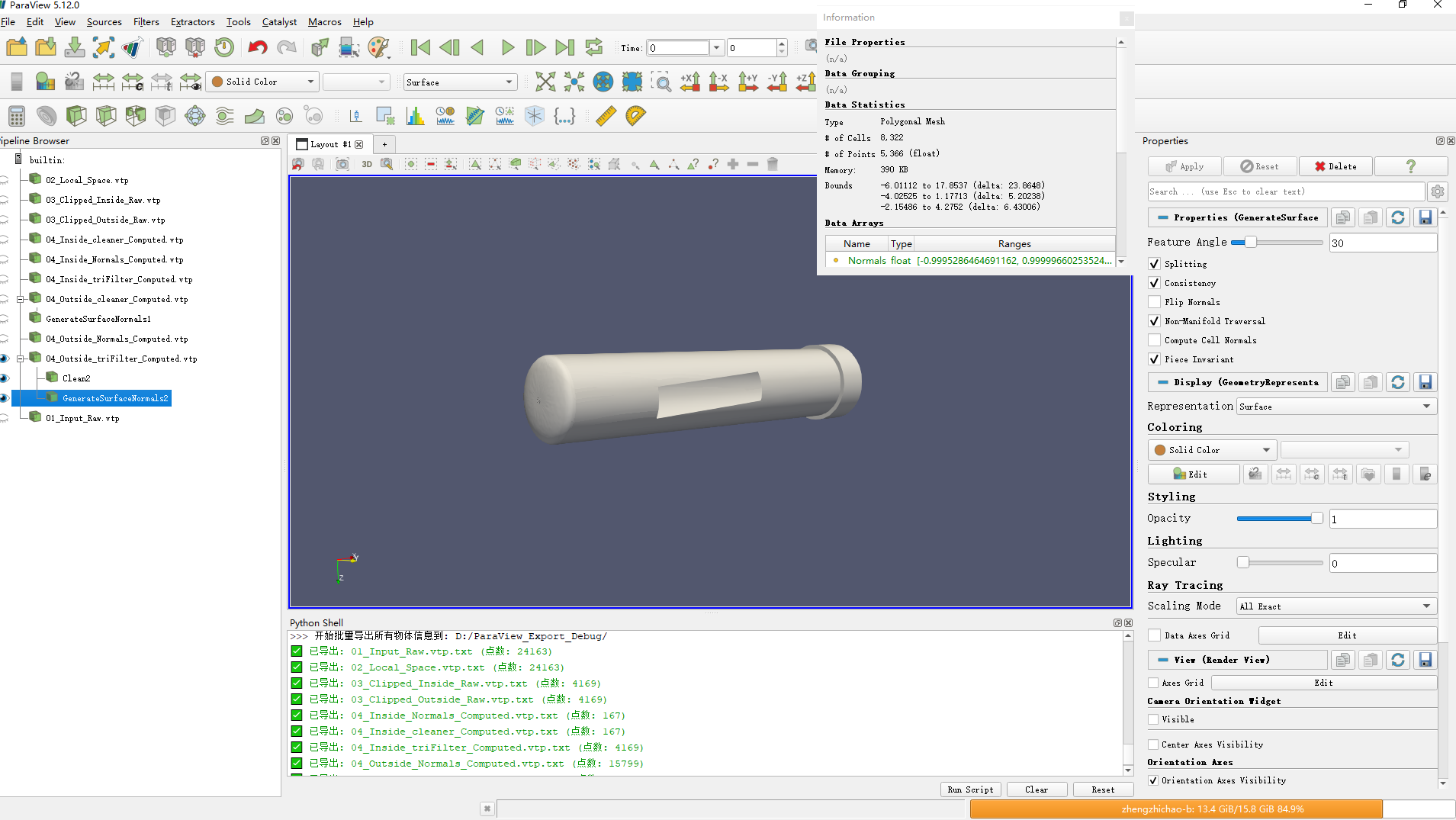
Scenario 3 (Pure ParaView Pipeline): Load Triangulated data → ParaView Manual
Clean→ ParaView ManualGenerate Surface Normals.- Result: Point count stays low (~5k). The mesh is SMOOTH. The cylinder wall is smooth, and only the cut edges are sharp.
My Conclusion & Questions
Since Scenario 3 (Pure ParaView) succeeds while Scenario 1 (Pure Code) fails—despite the intermediate “Clean” data being identical—I suspect the issue lies in the vtkPolyDataNormals configuration, specifically the Feature Angle or Splitting logic.
In my C++ code, I set the Feature Angle to 30.0 degrees.
-
Feature Angle Sensitivity: Is 30.0 degrees generally too low for a standard tessellated cylinder? Does this cause
SplittingOn()to incorrectly identify the angle between smooth curved faces as “sharp edges,” effectively re-splitting the vertices I just merged? -
ParaView Defaults: Does ParaView’s “Generate Surface Normals” filter use a default Feature Angle of 60.0? Or does it apply some extra logic to prevent over-splitting?
Here is my C++ implementation:
C++
// 1. Clean (Verified to work via export)
auto cleaner = vtkSmartPointer<vtkCleanPolyData>::New();
cleaner->SetInputData(triFilter->GetOutput());
cleaner->PointMergingOn();
cleaner->SetPieceInvariant(true);
// I used absolute tolerance to handle floating point noise from vtkBoxClipDataSet
cleaner->SetToleranceIsAbsolute(true);
cleaner->SetAbsoluteTolerance(0.001); // 1e-3
cleaner->Update();

// 2. Normals (Suspected Culprit)
auto normalGen = vtkSmartPointer<vtkPolyDataNormals>::New();
normalGen->SetInputData(cleaner->GetOutput());
normalGen->ComputePointNormalsOn();
normalGen->SplittingOn();  // I suspect this is re-splitting my welded vertices
normalGen->SetNonManifoldTraversal(true);
normalGen->ConsistencyOn();

// I used 30.0 degrees. Is this the cause?
normalGen->SetFeatureAngle(30.0);

if (isClosedMesh && IsWatertight(mesh)) {
    normalGen->AutoOrientNormalsOn();
} else {
    normalGen->AutoOrientNormalsOff();
}

normalGen->Update();
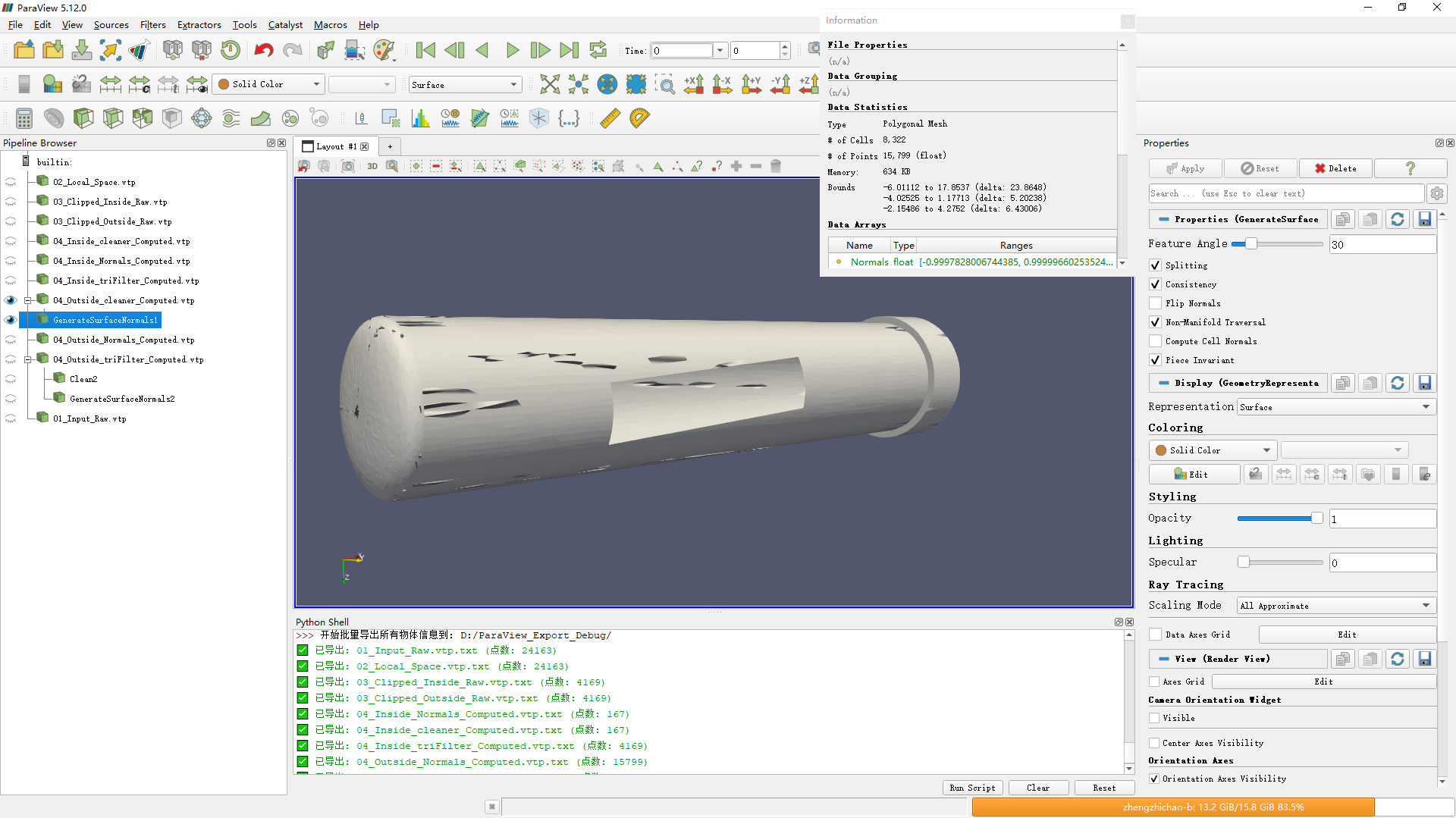
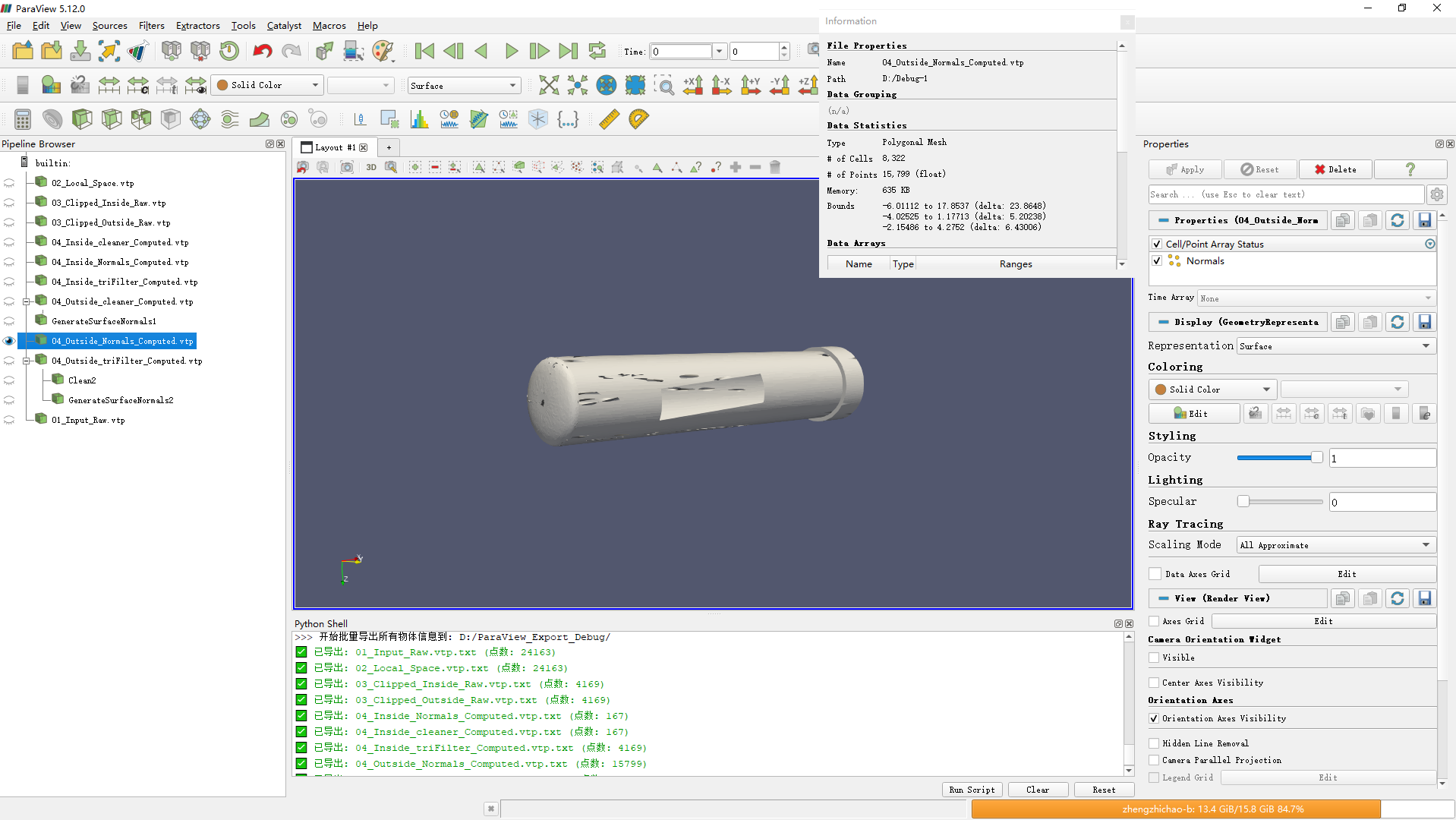
Step-by-Step Verification via Exported Files
I exported the model as a .vtp file after every processing step to compare the results.
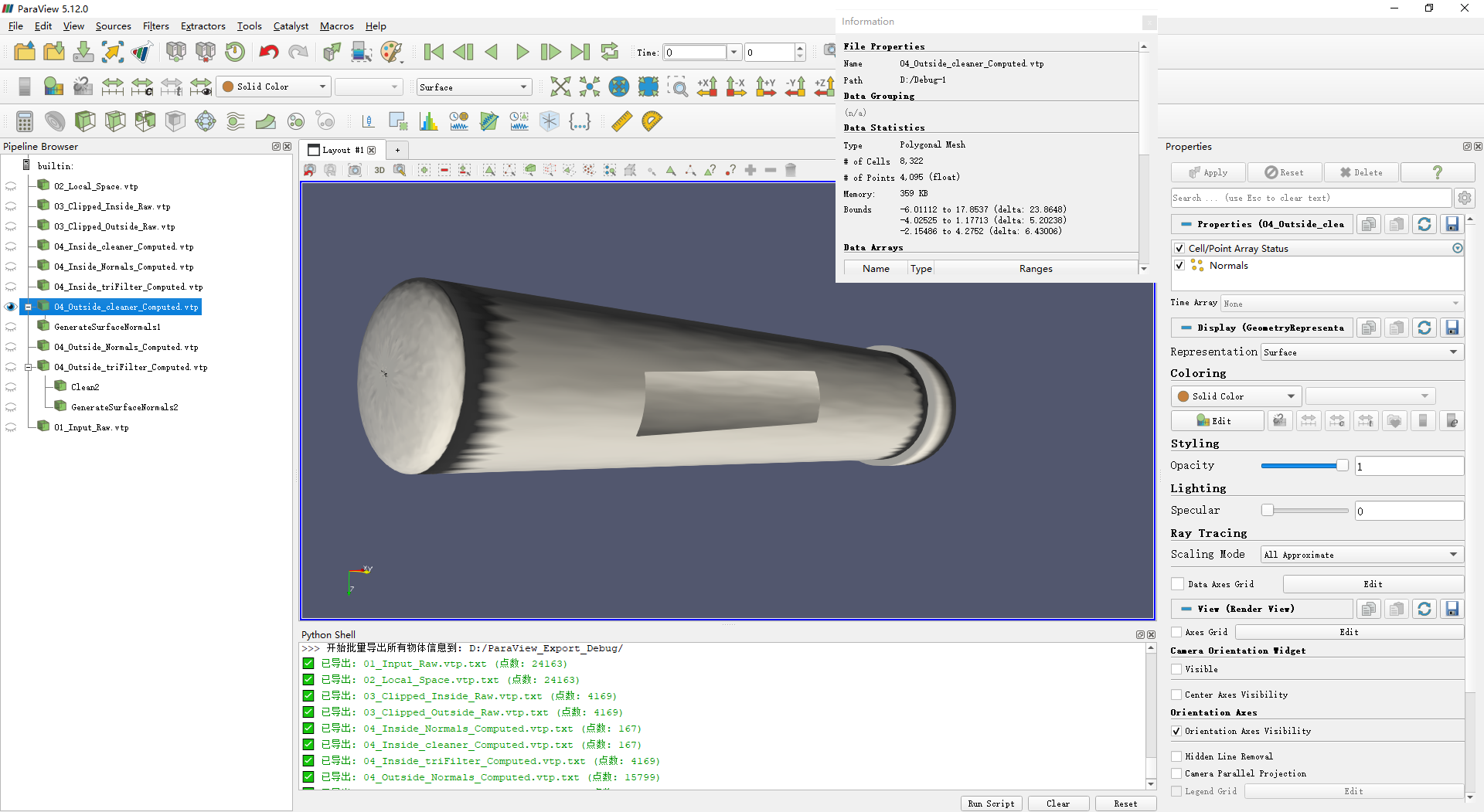
04_Outside_cleaner_Computed.vtp: This is the model generated by the C++ code after passing throughvtkTriangleFilterandvtkCleanPolyData.04_Outside_triFilter_Computed.vtp: This is the model generated by the C++ code aftervtkTriangleFilter(before cleaning). I loaded this file into ParaView and manually applied the Clean filter.
- Observation: Both of the above have the exact same number of points and cells. This confirms the C++ Clean step is working identically to ParaView’s Clean step regarding topology.
However, the divergence happens at the Normals step:
04_Outside_Normals_Computed.vtp: This is the final output from the full C++ pipeline (Triangulate → Clean → Normals).GenerateSurfaceNormals1(in ParaView): I loaded the code-cleaned file (04_Outside_cleaner_Computed.vtp) and manually applied “Generate Surface Normals” in ParaView.
- Observation: This object has the same high point count as the C++ output (
04_Outside_Normals_Computed.vtp).
GenerateSurfaceNormals2(in ParaView): I loaded the raw triangulated file (04_Outside_triFilter_Computed.vtp), then manually applied the Clean filter followed by the Generate Surface Normals filter entirely within ParaView.
- Observation: This object has significantly fewer points than the previous two cases.
Any advice on why the C++vtkPolyDataNormalssplits the edges while ParaView keeps them connected would be greatly appreciated.