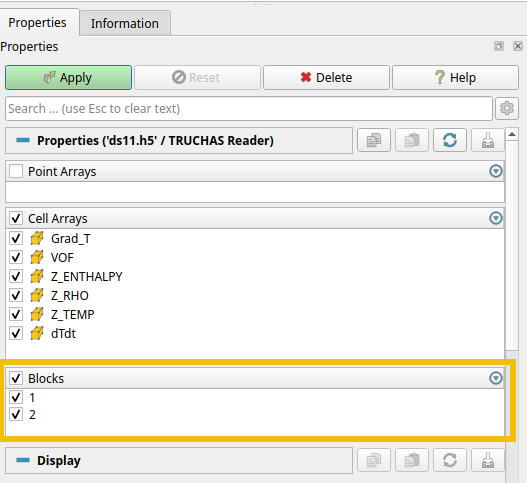
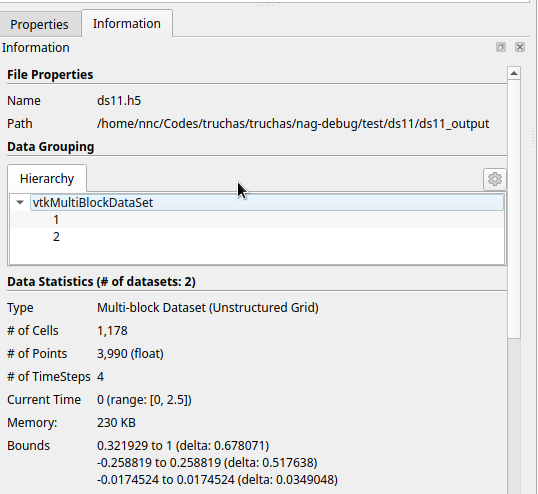
I’m looking into by-passing the TRUCHAS reader (builtin to VTK) for our custom HDF5 output by reimplementing the output using the VTKHDF file format. Each cell in the unstructured mesh is tagged with an integer that identifies the part (nothing whatsoever to do with MPI) the cell belongs to. I’ve looked at the source for the reader and it appears to be creating a vtkMultiBlockDataSet and reorganizing the cells of each part into a “block”. After reader imports the data we get the following property and information tabs:
Notice the “Blocks” checkbox section on the properties tab. It allows one to chose which blocks are loaded into paraview.
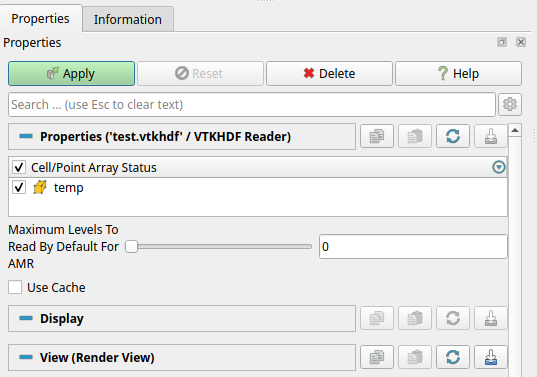
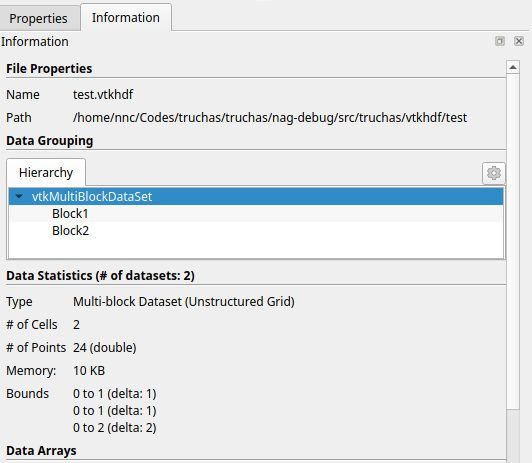
I’ve setup a dummy vtkhdf MultiBlockDataSet-type file (2 cells, 2 blocks, 1 cell in each block). It loads and displays in paraview as expected, however I don’t get a “Blocks” checkbox section as with the TRUCHAS reader. Here’s the properties and information tab for this one. Note that it appears as a MultiBlockDataSet with two blocks as expected.
After saving the data imported by the TRUCHAS reader in vtkhdf format (it works!) I was able to import that data back into paraview with the vtkhdf reader, and there again the “Blocks” checkbox section was missing. Also there’s a curious section about max levels to read for AMR (see the above pic). I think there’s something missing (and not right – AMR – for the MultiBlockDataSet format) from the vtkhdf reader.
Thanks for the quick response. I think this a useful feature to reduce loading time, however I just learned about the multiblock inspector panel (hint from AI) that I somehow was totally unaware of. Loading time isn’t a significant issue for us, and this provides the needed visibility toggles just as easily.