Thanks for sharing VTK sample! I can reprod the issue. I believe we can fix it but I may not be able to get to it right now, so I’m documenting my findings to help me later or someone who can dig into it now.
I can also reproduce the issue in paraview. There is definitely something off when the camera position gets very close to the geometry in orthographic projection mode. The issue did not appear when I checked the “Disable Lighting” box, which led me to suspect the shader’s normal computation logic and I couldn’t resist inspecting the frame in my favorite graphics debugging tool RenderDoc.
As for the issue itself. It is because the glsl functions used to estimate partial derivatives run into numerical instabilities when the inputs are extremely close to each other. Let me explain with actual numbers. For the C++ example code you shared, two cones pointing inward at a sphere. After you zoom in all the way until you can see only the sphere, here are the final coordinates that the fragment shader receives in eye space for a bunch of vertices picked at random:

Highlighted on the left are the model point coodinates output from
vtkSphereSource. On the right, those are eye space coordinates after transforming with the model-to-view matrix MCVCMatrix
If you want to look at more interesting data for all vertices, here’s the full table of fragment shader inputs vcgsout.csv (216.9 KB)
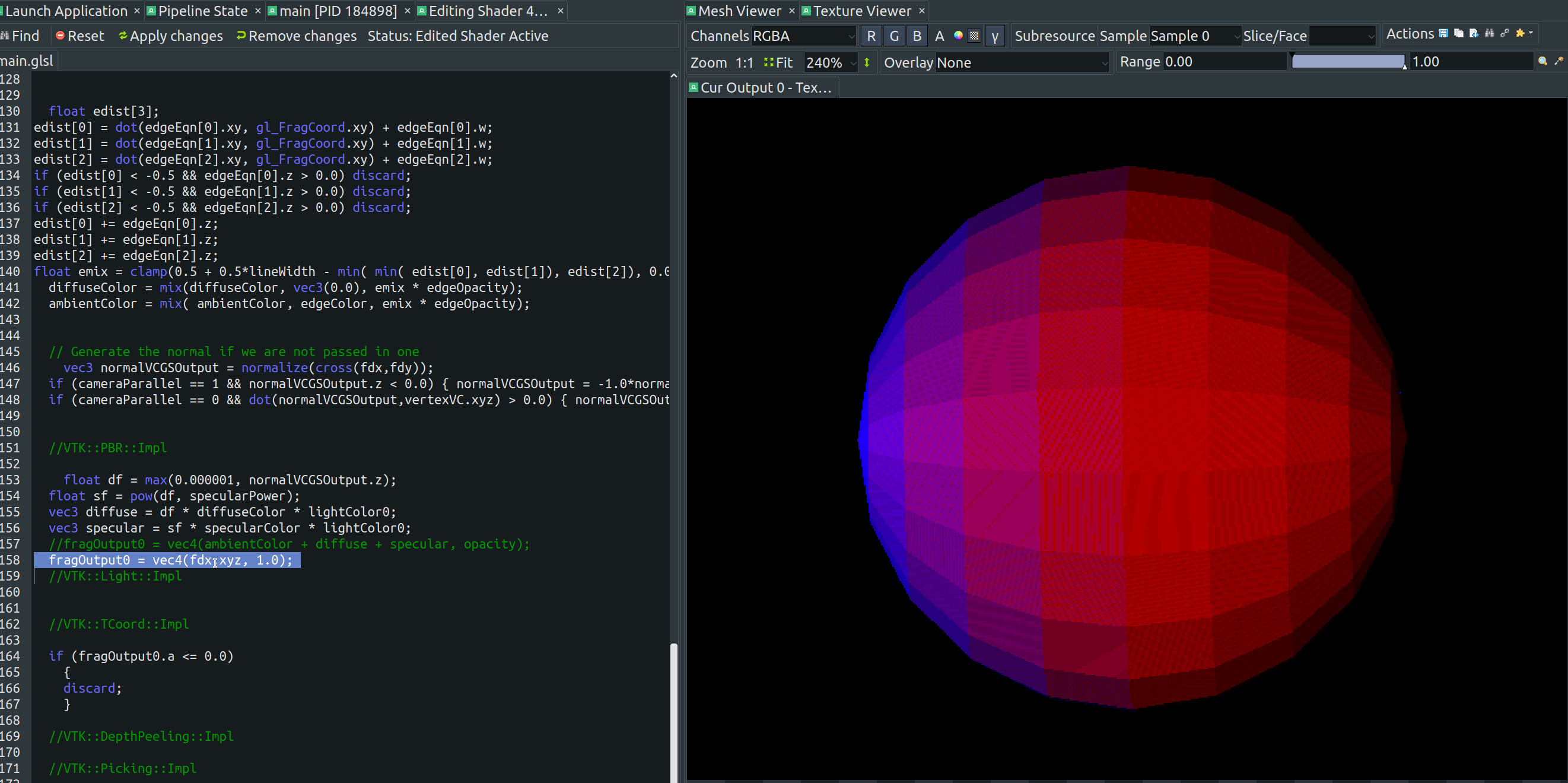
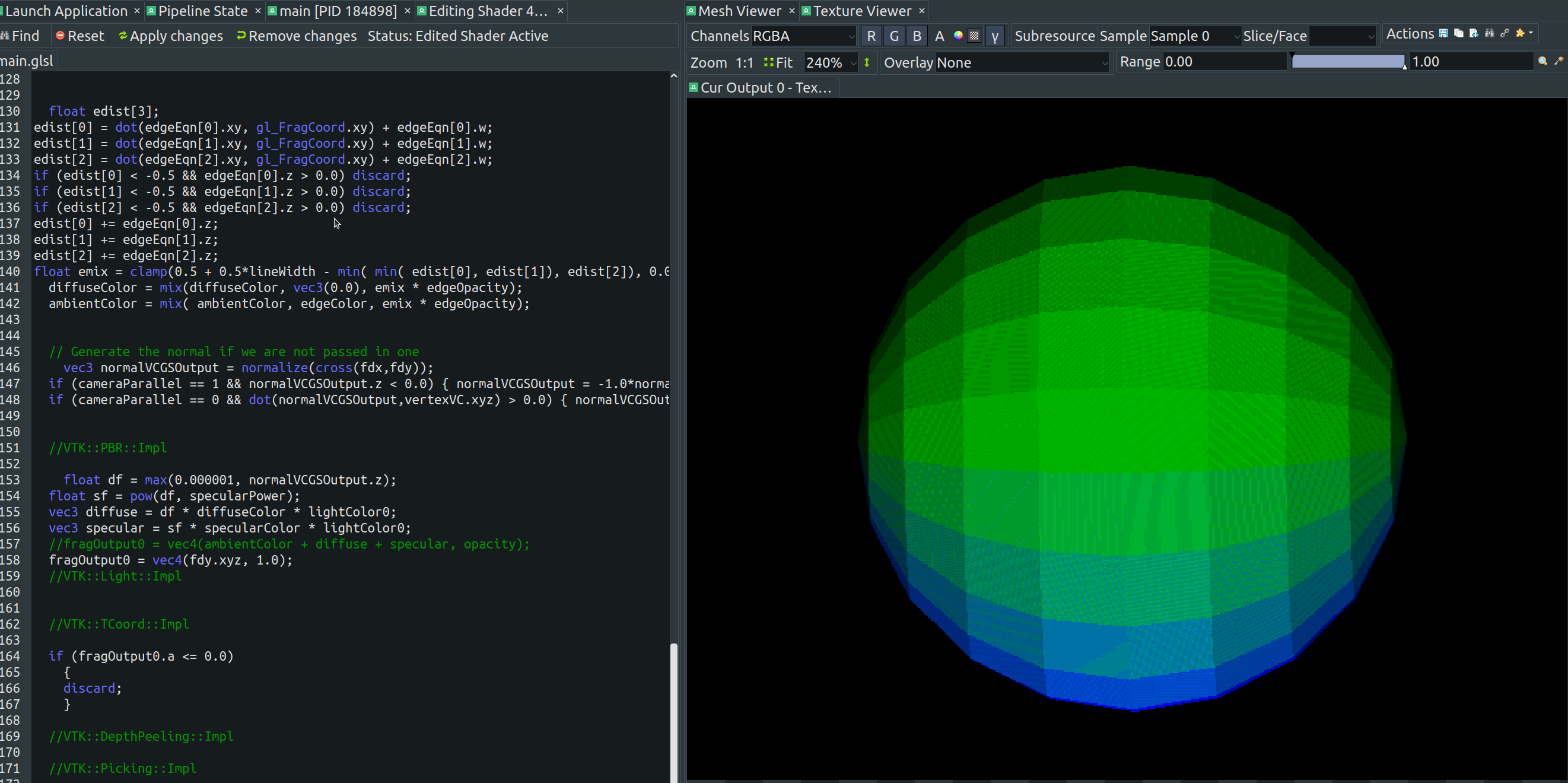
When a vtkPolyData does not have normal array in it’s vtkPointData, the shader computes the normals on the fly by taking partial derivatives of those eye space coordinates which we saw above. Here’s what it looks like when the shader is changed to color the sphere by those partial derivative vectors instead of color:
dfdx:
dfdy:
Finally, here’s the normal vector spread out on the sphere:
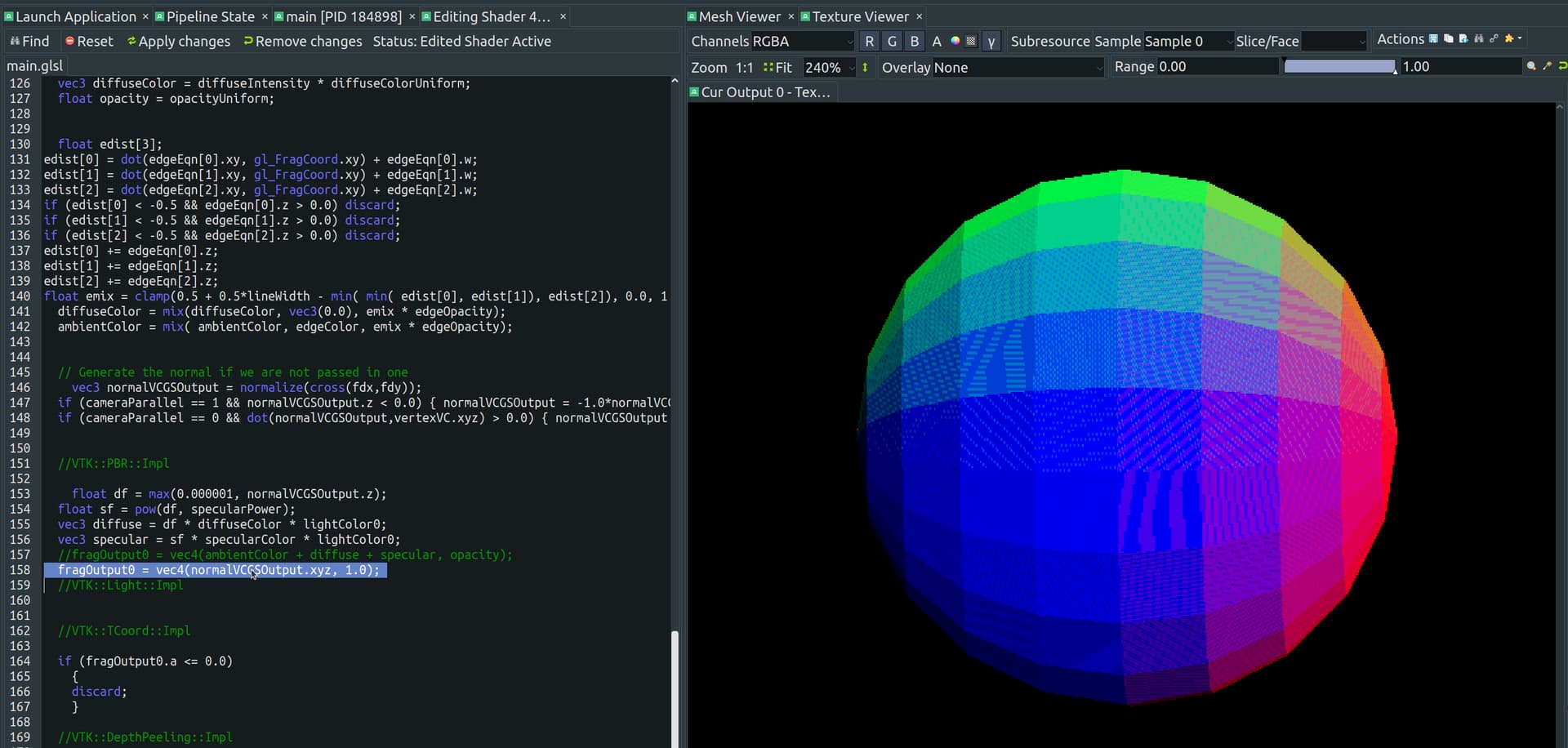
Notice how it’s not smooth at all, you can see dark speckles, i think those are fragments where the partial derivate was unstable. This is just a case of garbage in, garbage out. The issue can be fixed by using a better method to compute normals.
I guess you did not have this issue in VTK 6.0.0 because back then dFdX, dFdY were not used.
FWIW, the new D3D12/Metal/Vulkan backend via webgpu gets around these limitations of dfdx/dfdy by computing normals from model coordinates in vertex shader which are later transformed to view coordinates.